








Stop your team from losing focus to interruptions
Busy lights for modern workplaces.
27,000+ active users at businesses around the world


Stop interruptions before they start
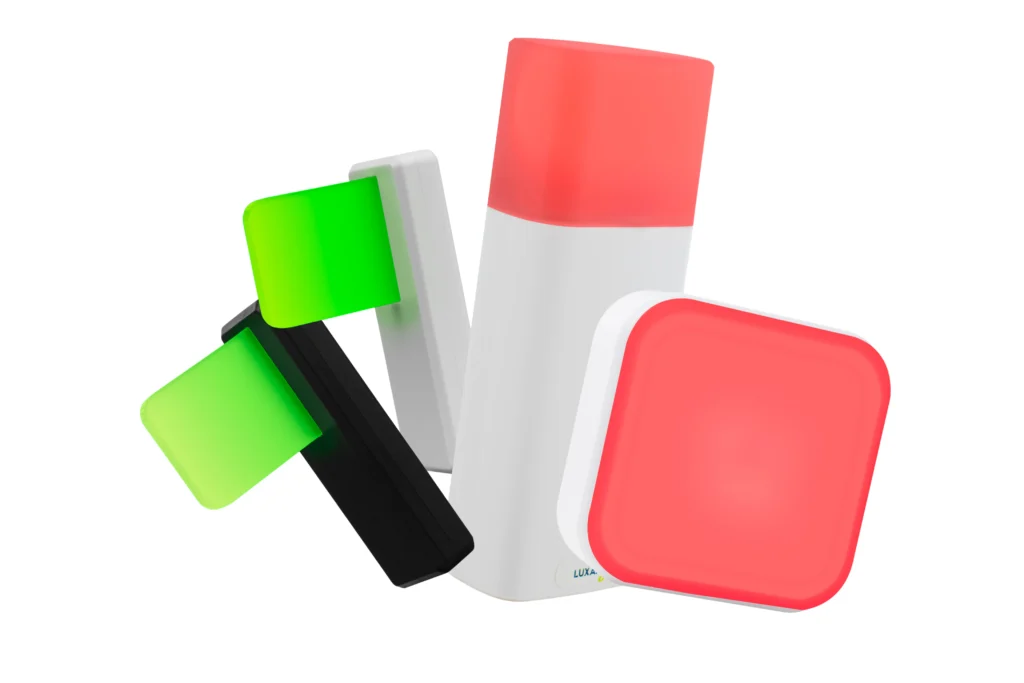
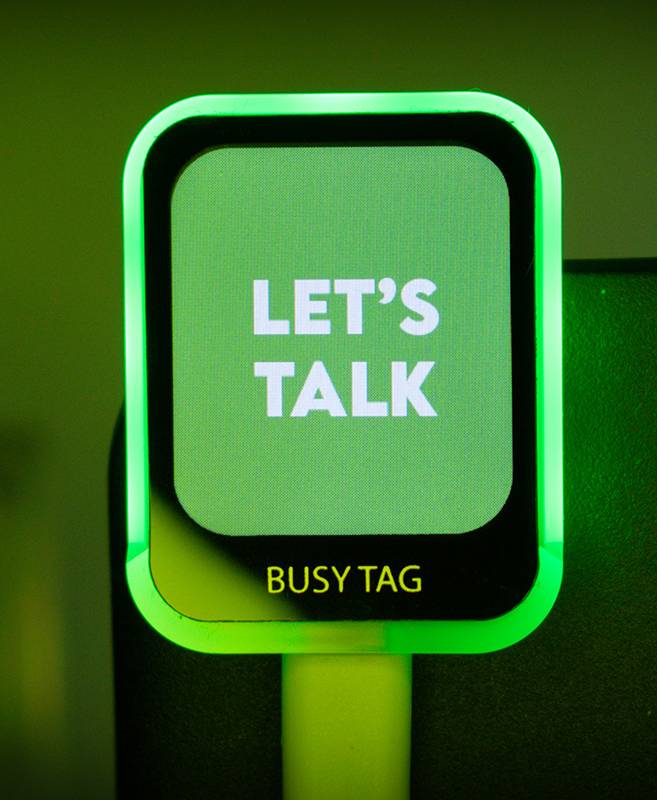
Busy lights give your team a simple signal: red = focused, green = available. Simple. Choose your approach below.

Find your team's focus solution
- Adjustable busy light
- 360° viewability
- Integrations with apps
What our customers say


Popular use-cases
Individual workstations
Every tap on the shoulder costs your team 23 minutes of refocus time. Multiply that across an open office, and you're losing hours daily. Luxafor busy lights give employees a simple, visible way to signal availability. No awkward conversations, no Slack status guessing games.
Meeting room availability
Using the Luxafor Switch Pro and Bluetooth Pro devices, you can remotely display the status of a meeting room, indicating whether it is occupied or available for use. Attach the busy light by the door and control it from inside.
Green glow – meeting room is available.
Red glow – meeting room is taken.

Automatic status indication
Display workspace, meeting room, or your personal status automatically from MS Teams. By pairing Luxafor devices with Microsoft Teams, you can display your status on your Luxafor devices as well as change your MS Teams status from the Luxafor Smart Button and Mute Button.
Your Luxafor device can display statuses from Teams, such as green for available, red for busy, yellow for do not disturb, or others. This can help your colleagues avoid interrupting you when you're focused on work. Change your status in Microsoft Teams and your Luxafor light will change accordingly.
Also mentioned in popualar media
“
Office traffic light
Luxafor’s clever light, which connects to your computer via USB or Bluetooth, communicates to your co-workers when it’s okay to talk to you and when it’s not. Kind of like a traffic stoplight, the little, rectangular plastic unit shines green when you’re all ears and red when you’re not. It sure beats asking your co-workers to talk to the hand or flipping them the bird!

“
Productive environment
Feeling less guilty, working better in a team, and being more productive are three of the cornerstones of Luxafor. Their focus is on creating a better working environment, where you and your colleagues respect each other’s light – and time.

About Us
Our Story
Luxafor has been an expert and a frontrunner in the productivity gadget space for more than 10 years in the market offering a wide variety of tools designed to enhance focus, improve communication, and streamline workflows in both personal and professional settings.
Our range of office busy lights, air quality sensors, interactive buttons, and other gadgets is designed to help individuals and businesses boost productivity and reach their maximum potential without being influenced by interruptions or lack of focus.
How It Began
Luxafor was founded in 2013 by two young tech enthusiasts Caspar & Christian, working together on different tech startups. While developing code for one of the projects, they worked in a shared coworking space. However, work was slowed by ineffective communication since they kept interrupting each other.
They needed an easy and non-intrusive way to communicate their availability to one another in the workplace. And that’s how the idea was born – Luxafor’s first product was the now-popular Luxafor Flag, a small, portable LED light that could be used to indicate your availability to the people around. Most importantly, it solved their problem and improved communication.
The Luxafor Flag was a success and helped establish the brand as a leader in the busy light and productivity tool market. Today, Luxafor is a global company with customers in over 100 countries with products used by businesses, individuals, and organizations of all sizes.
Our Mission
Luxafor’s mission is to help individuals and businesses improve their productivity and efficiency by providing cutting-edge productivity tools for the modern workspace. We aim to create tools to support distraction-free workspaces where people can thrive and achieve their best performance. Our smart gadgets help improve focus, and communication and foster a positive work culture.
Our Vision
Our vision is to become the leading provider of productivity tools that help individuals and businesses achieve their greatest productivity. We strive to create innovative solutions that improve workplace productivity through visual indicators, interactive buttons, LED-based solutions, air quality sensors, and more. We envision a world where individuals and businesses can achieve their goals without being influenced by interruptions or lack of focus.
Our Values
Innovation: We are committed to creating innovative solutions that improve workplace productivity and efficiency.
Quality: We strive to provide high-quality products and services that meet the needs of our customers.
Customer satisfaction: We are dedicated to providing exceptional customer service and ensuring that our customers are satisfied with our products and services.
Teamwork: We believe in the power of teamwork and collaboration to achieve our goals. We know how effective a tight-knit and communicative team can be – that’s what we aim to help our customers achieve.
Continuous improvement: We are committed to continuous improvement and are always looking for new ways to improve our products and services for our customers.
Browse our Productivity guides
Inspire yourself to inspire others.
Luxafor smart office solutions
The secret formula of success depends on one’s genuine input. We know – finding that formula is hard, as productivity is a very personal matter.
That’s why we have created a variety of tools and gadgets that help individuals and businesses unlock their productivity potential in their own way through easy and actionable steps. Our smart office devices, including the do not disturb light for office and busy light for office door, can enhance work productivity, efficiency, and comfort of your office environment. They help you automate tasks, control devices, apps, and workflows, allowing you to work and communicate better while saving time and energy.
With our vast product selection of physical and digital tools, including in a meeting light, status light, and on a call light, you will get things done faster, easier, and more efficiently. If you don’t believe us – you can have a look at the user testimonial section.
You can easily solve any of the most common productivity challenges with the help of specially designed smart office devices that you may find useful for your home office or corporate workspace. There are plenty of gadgets to choose from that can make your office smarter and better. You can check out all of them in our products section and find out more in the description below.
Take a look at our workspace productivity solutions with a vast range of smart gadgets with specially designed software that will most definitely help you improve your efficiency in work settings and in personal life.
We offer a variety of customizable office gadgets for your smart office or home office, depending on your needs and preferences. From a meeting sign to recording in progress sign, our products provide visual indicators that help you minimize interruptions and stay focused.
Welcome to Luxafor, the cutting-edge productivity tools provider for the modern workspace also known as a smart office. Our range of do not disturb light for office, air quality sensors, interactive buttons, and other gadgets are designed to help individuals and businesses boost productivity and achieve goals without being influenced by interruptions or lack of focus.
We provide Bluetooth or USB-enabled LED indicators that connect to your computer, displaying your availability or alerting you to critical information, such as incoming emails. Using a variety of tools and strategies, we help both business-to-business and consumer clients streamline their operations and enhance productivity.
With interactive buttons, LED-based solutions, air quality sensors, busy lights for office doors, visual indicators, and more, all of our products are designed to boost workplace efficiency.
Luxafor offers standalone workplace busy lights, USB-C compatibility, and advanced USB availability indicators. Our wireless, remote-controlled indicators display room occupancy and availability in real time, making them ideal for both conference rooms and desk workstations.
Our productivity solutions, including air quality monitors, Bluetooth busy lights, customized buttons, and personal do not disturb lights, enhance focus and efficiency for individuals and teams alike.
With Microsoft Teams integration, your workstation, meeting space, or personal status is displayed instantly. The Smart Button and Mute Button allow you to modify your MS Teams status, while Luxafor’s busy lights reflect your current status to colleagues—helping minimize interruptions and improve team awareness.
Luxafor devices can display individual statuses—green for available, red for busy, yellow for in a meeting, and more. When you update your MS Teams status, your busy light automatically adjusts, preventing unnecessary interruptions while you work.
For nearly a decade, we have been offering a wide range of tools to improve focus and streamline workflows in both personal and professional settings.
Our selection of interactive buttons, air quality monitors, office busy lights for doors, and other devices helps individuals and organizations maximize productivity while minimizing distractions.
Key pillars of our company include reducing workplace distractions, fostering better teamwork, and enhancing overall efficiency. Our goal is to create a work environment where colleagues respect each other's time and space.
Are you ready to transform your work-life balance and unlock your full potential? Explore our range of smart productivity solutions and take the first step toward a more focused, efficient, and fulfilling career.
Join the Luxafor community today and experience the difference! With our comprehensive selection of physical productivity tools, including on a call light and recording in progress sign, you’ll complete tasks faster, more easily, and more effectively.
A smart office is a workplace that uses technology to improve efficiency, productivity, and employee satisfaction. Smart offices use a variety of sensors, software, and devices to automate tasks, collect data, and provide insights that can help businesses make better decisions. Smart office provides modern solutions, in a unified management ecosystem, for more comfortable and productive work in the office. Smart office concept essentially means the ability of employees to flexibly plan their time, as well as use various smart devices and operate in a technically equipped, modern work environment.
Here are some examples of a smart office:
Employee access and security: Employees can enter the office building and their assigned work-spaces using RFID cards or smartphone apps. This eliminates the need for traditional keys and makes it easy to track who is in the office at any given time.
Smart desks and conference rooms: Smart desks can be adjusted to the employee's desired height and can also track how much time the employee spends sitting and standing. Smart conference rooms can be booked in advance and managed using a smartphone app or a meeting room availability indicator. Smart office can also be equipped with smart displays that allow for easy video conferencing and presentations.
Intelligent climate and lighting control: Sensors can be used to detect the presence of people in a room and automatically adjust the temperature and lighting accordingly. This can help to save energy and create a more comfortable work environment. Also air quality monitors such as Luxafor CO2 Dongle can be used to ensure the optimal working environment.
To create a smart office, you will need to implement a variety of technologies and solutions. Here are some steps to get you started:
- Assess your needs. What are your goals for creating a smart office? Do you want to improve efficiency, reduce costs, or create a more comfortable work environment? Once you know your goals, you can start to identify the specific technologies and solutions that will help you achieve them.
- Create a budget. Smart office technologies can range in price from relatively inexpensive to very expensive. It is important to set a budget before you start making any purchases.
- Develop a plan. Once you know what you want to achieve and how much you are willing to spend, you need to develop a plan for implementing your smart office solutions. This plan should include a timeline, budget, and resource allocation.
- Choose the right technologies. There are a wide variety of smart office technologies available. It is important to choose technologies that are compatible with each other and that will meet the specific needs of your business.
- Install and configure the technologies. Once you have chosen your smart office technologies, you need to install and configure them. This may involve working with a professional IT services provider.
- Train your employees. Once your smart office technologies are installed and configured, you need to train your employees on how to use them. This will help to ensure that your employees are able to get the most out of your investment.


