










Luxafor Flag USB busy light – office availability indicator
Boost your workplace productivity with Luxafor Flag, a powerful busy light that helps individuals and teams stay focused and organized. This LED do not disturb indicator integrates with various tools and is designed to eliminate distractions and improve your workflow. Shop the range of productivity tools and gadgets at Luxafor.com
€34.00 – €36.00Price range: €34.00 through €36.00
LUXAFOR FLAG
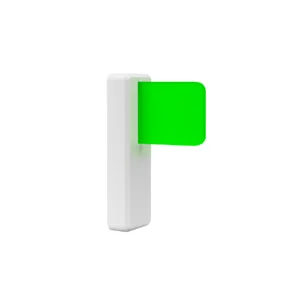
USB availability indicator busy light for office
Luxafor Flag lets performance-driven team players take control over workplace distractions and organize workflow to deliver exceptional results.
- Adjustable busy light
- Task timers
- Integrations with apps
How It works
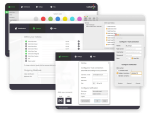
1. Download
2. Connect
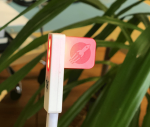
Attach the Flag to your computer with the magnet & connect via USB.

3. Display availability

Takes only 53 seconds to watch
Luxafor Flag - Smart Office USB LED busy light that eliminates distractions.
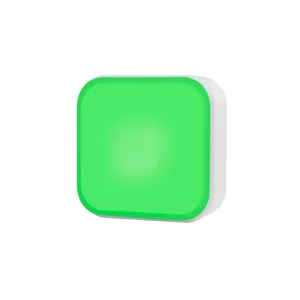
- Tell everyone you're busy or free with red and green
- Automatically display your Microsoft Teams status
- Connect to apps and receive notifications via Zapier
- Simple app for everyday use & API for custom features
- Remote control from phone app
- Works on both Windows and Mac
Luxafor products used by 214,000+ workers in such offices as:


IntroducingLuxafor Flag
An innovative productivity gagdet designed to show colleagues your availability and receive only important notifications at the speed of light.
Distraction-free work
Promotes Deep Work
Efficient Workflow
Profitable Solution
Stay more focused during working hours, perform better and provide bigger results that inevitably lead to more income.
Organize Workflow For Yourself And Your Team
- Simple real-time availability communication
- Enhanced deep work and collaboration
- Boosted employee morale and performance
- Reduce interruptions among employees

As featured in
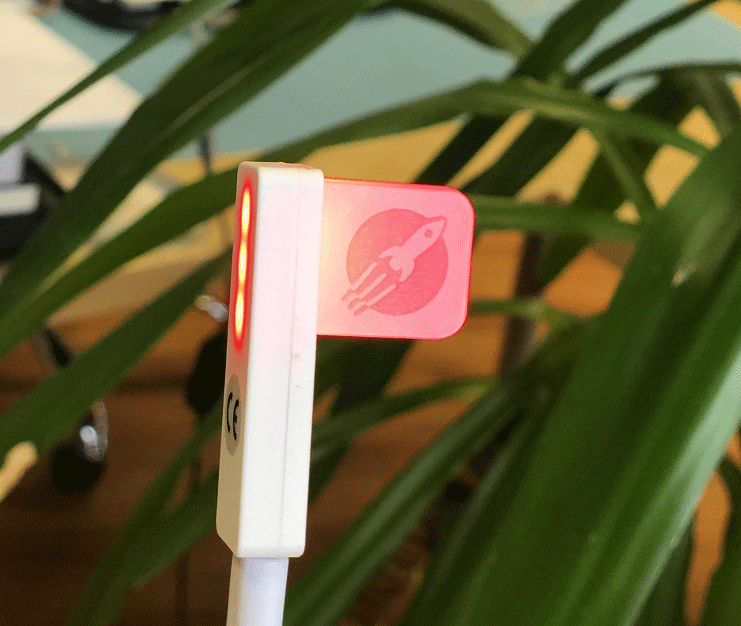
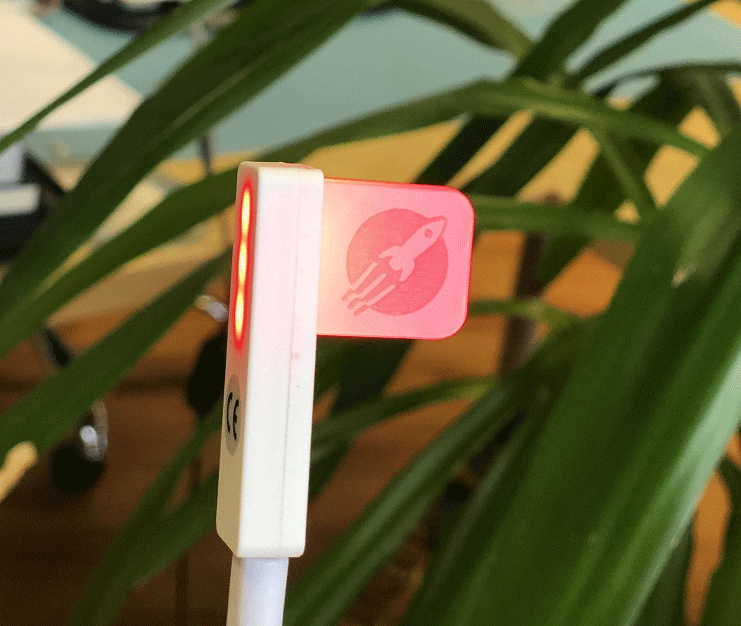
Luxafor’s clever light, which connects to your computer via USB [...], communicates to your co-workers when it’s okay to talk to you and when it’s not. Kind of like a traffic stoplight, the little, rectangular plastic unit shines green when you’re all ears and red when you’re not. It sure beats asking your co-workers to talk to the hand or flipping them the bird!

For the Luxafor Flag to really work well, it needs to be deployed as part of a larger effort to create an office culture that values dedicated heads-down time. Companies that want to build this kind of environment should buy Luxafor devices for all of their employees and educate the staff about how and when they should turn their lights to red.

What Our Customers Say


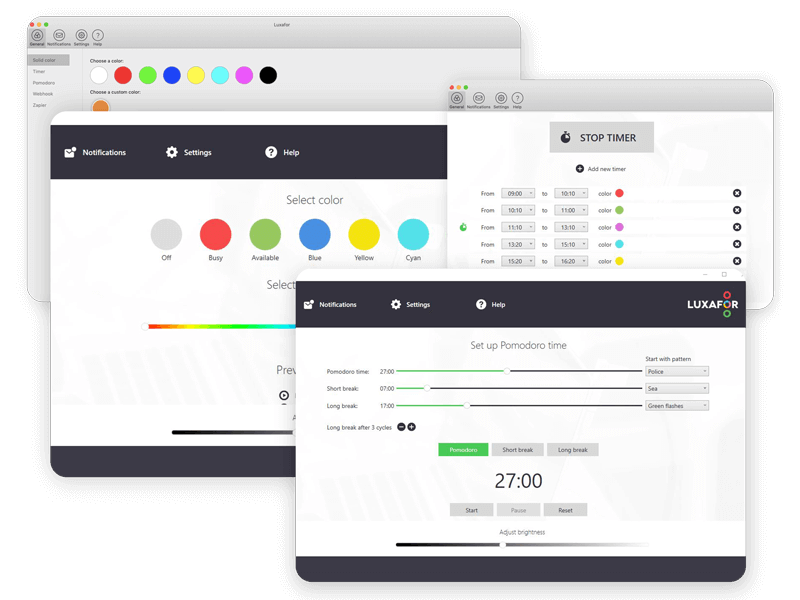
Solid Color For Availability Management
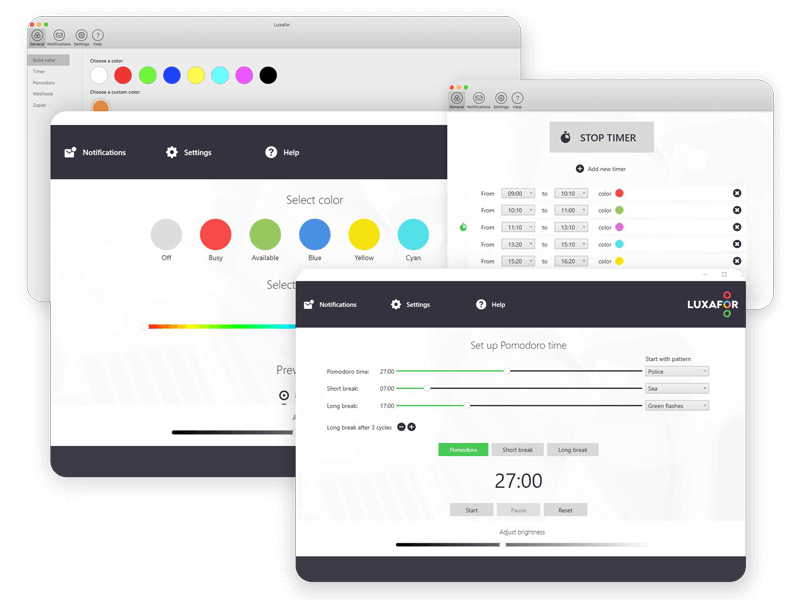
- Use pre-set colors like Red for Busy and Green for Available, or customize colors to set up individual color coding system in your workplace.
- Timer helps you plan and execute deep work sessions throughout the day.
- Implement popular productivity technique dividing workflow into organized chucks of deep work and rest (e.g., 25 and 5 minutes).
Available on:
Grow As a Professional
Reaching and exceeding expectations due to strong team performance helps your full potential shine, so you can become the professional everyone wants to work with.
- Stay in control of your determination to succeed
- Have better relationships with your team
- Make consistent steps toward a rewarding future
- Be an awesome leader for yourself and others

All Features
Luxafor Flag isn't just a status indicator - added features like the Timer, Productivity Timer, or possible integrations with productivity and notification apps, make Luxafor Flag your personal smart office assistant that will allow you to do more in less time!

Solid color

Productivity timer

Notifications

Timer

Productivity apps

Hotkey Shortcuts

Skype for Business
(Windows only)

Microsoft Teams
(Windows only)
Cisco Jabber
(Windows only)

Zapier

Webhook

Elgato Streamdeck
Integrations with popular apps
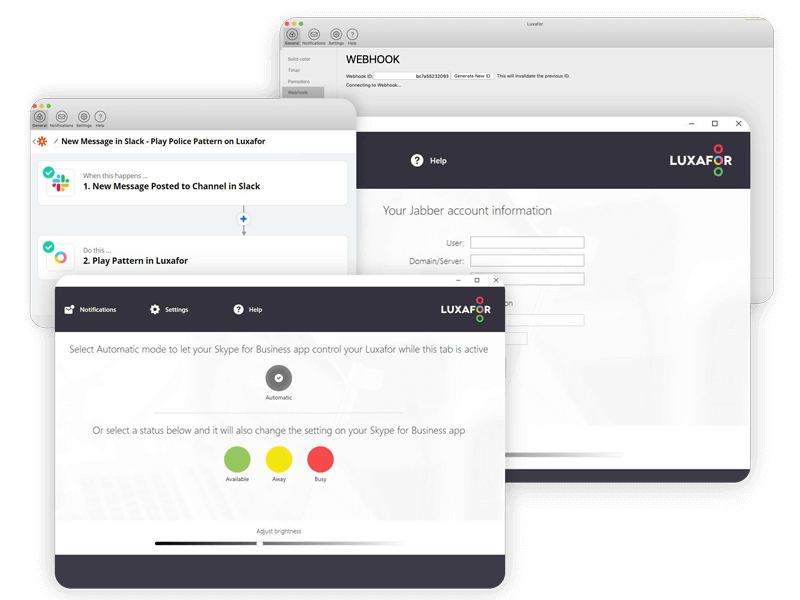
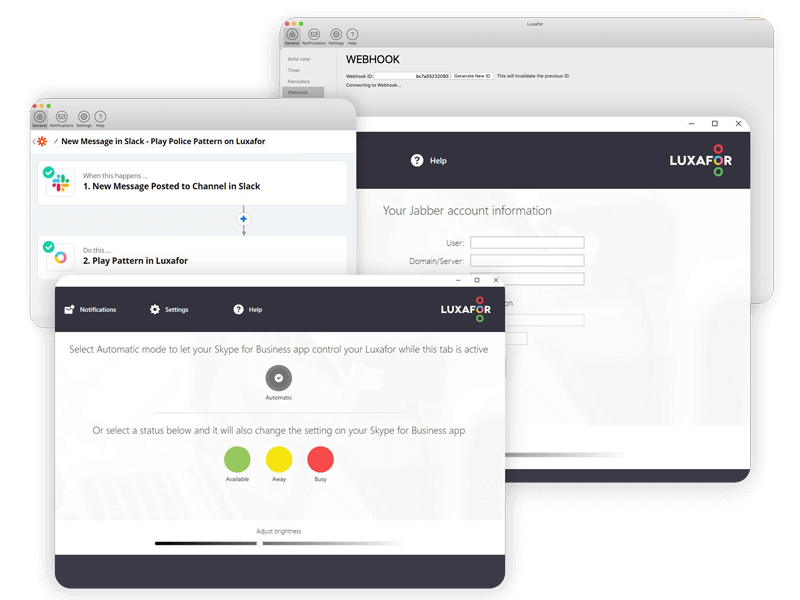
- Indicate Microsoft Teams availability status in real-time and enjoy automatic red flashes for the whole duration of a call.
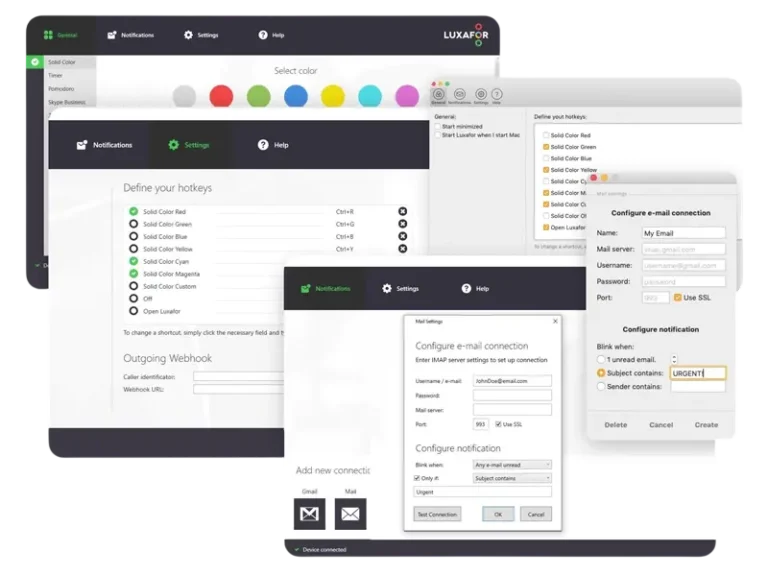
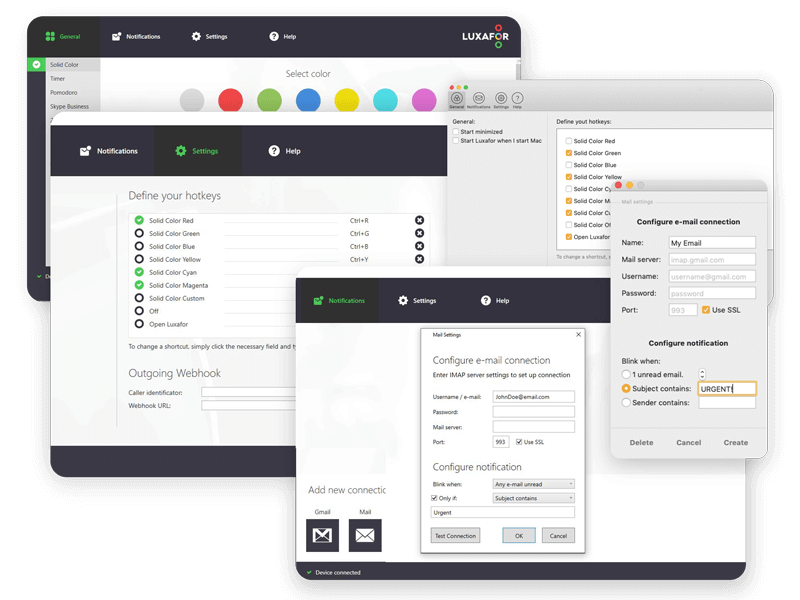
- Receive alerts about incoming emails - customizable triggers for specific keywords, senders, or all incoming mail.
- Use Zapier to connect with Jira, Facebook, Instagram, Zoho, Slack and hundreads of other apps for personalized notifications.
- Change color according to Cisco Jabber presence status and blink red during a call. (Windows)
Notifications For Improved Workflow
- Alter and add new integrations, control other devices and create more features by using Luxafor Web API.
- Display different LED patterns for different notifications - unread emails or notifications from other apps.
- Set hot-keys to switch busy light colors with specific key-combos without opening the Luxafor app.
App available on:
Frequently Asked Questions
Busy lights are visual indicators that show colleagues your availability status and help you set up, control, and receive only important notifications. These lights can be placed outside of your office or next to your PC to show whether you are available or busy, and they can indicate if a meeting room is free or occupied.
It is typically used in office settings to avoid interruptions and to signal to others when someone is on a call or otherwise occupied. The purpose of a busy light is to improve communication and productivity by reducing distractions and interruptions. The device is usually connected to a computer or communication platform and can be configured to display different colors depending on the user's status. Common colors include green, red, blue, and yellow. The busy light can be placed in a visible location and is easy to see from a distance, allowing coworkers to quickly determine whether or not it is a good time to approach someone. Overall, a busy light is a simple and effective tool for improving communication and productivity in the workplace.
The colors of Luxafor Flag busy light can vary depending on the specific device and its settings. Here are some standard pre-defined colors and their meanings:
- Green: Available;
- Red: Busy, on a call;
- Yellow: Away or unavailable but will be back shortly;
- Blue: please clean my workplace;
In addition to these colors, Luxafor Flag and some other gadgets support wide range of custom colors that can be configured based on the user's preferences or the specific communication platform being used to create a unique "status language" for better productivity and communication.
Yes, the Luxafor Flag is compatible with both macOS and Windows operating systems, offering versatile use for any setup. Download the app: www.luxaformanual.com
Yes, the Luxafor Flag is ideal for remote work. It connects to your computer via USB and updates your status automatically or manually, letting your household or team know when you're busy or available without needing to ask. This is especially great if you work from a shared space like a home office or the living room table.
A busylight is a small, LED status indicator designed to display the availability or status of a user at work. The Luxafor Flag busy light, for example, can connect to a computer via USB. It lights up in various colors to signal the user’s current status, such as "available" or "busy". It integrates with Microsoft Teams to update statuses automatically. It can also display your incoming notifications from your email or any other platform through Zapier.
Luxafor Flag Specifications
-
Dimensions: 48 x 15 x 34 mm
( 1.88 x 0.59 x 1.33" ) - Weight: 8 g without cable
- Light: 6 x RGB LEDs
- Consumption: Up to 0.5 W
-
Charging: USB powered
(With a standard micro USB data cable)

get Your Luxafor Flag Now!

Made in EU

Satisfaction guarantee
Custom logo engraving
- Ideal gift for employees, partners, and top clients
- Custom engraving available for orders with 50+ pcs
- Vector or hi-res PDF files will be needed for engraving
- Please inquire for more details and the price
Request a Quote
Interested in ordering Luxafor devices in bulk?
Send us a message and we'll prepare a quote for you!
You May Also Like These Products
Frequently Asked Questions
How can I attach Luxafor Flag to my computer?
Use the Magnet included in the package to attach Luxafor Flag to any surface. Simply remove the plastic from the double-sided tape that is on the magnet and attach the magnet to any surface on which you would like to place your Luxafor Flag, such as your laptop, cubicle partition etc.
The magnet is safe to remove at any time, and it does not leave any residue.
How can I connect Luxafor Flag with my computer?
Connect Luxafor Flag to your PC or Mac by plugging the included data cable into a USB port of your computer (or a hub connected to your computer) and plug the other end into the Luxafor Flag micro USB port.
Can I use my own USB cable to connect Luxafor Flag?
No, Luxafor Flag will work only with the original USB cable provided.
Will Luxafor Flag work with my computer?
You can use Luxafor Flag with any computer that runs the following OS:
Windows: Windows 7 or later
Mac: macOS 10.14.6. (Mojave) or later
How can I get a logo engraving on the Luxafor flag?
To engrave the logo of your company, you need to order at least 60 Luxafor Flag units. Engraving costs an extra $7.00 per unit. Engraving cost per unit is lower if you order in bulk.
Send the logo in vectors, along with your billing and shipping address, your preferred payment method, and number of Luxafor Flag units you’re ordering to luxafor@greynut.com.
Does Luxafor Flag come with a warranty?
Yes, Luxafor products have a standard 2 year warranty.
Can it be controlled remotely?
Yes, the device can be controlled from the Luxafor phone app. It must be connected to your computer, with the Luxafor app opened. Here’s the guide to controlling the device remotely.
What payment methods do you accept?
- Credit/debit card: Visa, MasterCard, American Express, Discover, Diners Club, Maestro, and JCB.
- PayPal, Google Pay & Apple Pay.
- Bank transfer: available on request — contact support@luxafor.com. Pre-payment required before invoice and goods are issued.
What currencies do you accept?
Pricing is available in USD (U.S. Dollars), EUR (Euro), and GBP (British Pounds).
Can companies pay by invoice (net terms)?
Invoice payment is available for bank transfer orders: Luxafor sends the invoice → customer pays → order is dispatched. Pre-payment is required before goods are shipped. Net/post-payment terms are not offered.
To arrange a bank transfer, contact support@luxafor.com.
Is the checkout secure? What payment processor do you use?
Yes — we use 3D Secure™ (3DS) for card payments. Your bank may ask you to verify your identity via SMS code or internet banking login. 3DS is available for Visa (‘Verified by Visa’), Mastercard (‘Mastercard SecureCode’), and American Express (‘SafeKey’).
After 3 failed authentication attempts, the transaction is cancelled and a hold may be placed on the card — customers should contact their bank in this case.
Can customers get a VAT invoice?
Yes — VAT-exempt invoices for EU businesses are generated automatically by the system at checkout. No manual request needed. EU business customers should enter their company VAT number at checkout to receive a VAT-exempt invoice.
Manual invoices are only prepared for bank transfer orders — contact support@luxafor.com to arrange.
Do prices on the website include VAT?
Yes — all pricing on the store is shown with taxes included. Note: International duty charges are not included and are the customer’s responsibility.
How can I order a Luxafor Flag for my company in the EU?
To issue an invoice without VAT, please send the full name of your company and its VAT number along with the billing and shipping address, your preferred payment method, and the number of Luxafor Flag units (specifying the cable length) to luxafor@greynut.com.
How can I get a logo engraving on the Luxafor flag?
To engrave the logo of your company, you need to order at least 60 Luxafor Flag units. Engraving costs an extra $7.00 per unit. Engraving cost per unit is lower if you order in bulk.
Send the logo in vectors, along with your billing and shipping address, your preferred payment method, and number of Luxafor Flag units you’re ordering to luxafor@greynut.com.
I need to change something on my order. How can I do that?
If you need to change or cancel your order, please contact us at luxafor@greynut.com immediately. We generally process orders within 24 hours, and once we have processed your order, we’ll be unable to make any changes.
Do you offer discounts for bulk orders? What are the tiers?
Yes, bulk discounts are available starting from 5 units. For orders over 200 units, contact us via this bulk orders form for custom pricing.
- Devices under USD/EUR 80/unit — from 10 units
- Devices over USD/EUR 80/unit — from 5 units
Is there a dedicated process for large/enterprise orders?
Yes — fill out this form with your requirements and the team will prepare a personalized quote and invoice.
What are the lead times for large orders?
Standard bulk orders are processed within 2–5 business days. You’ll get a tracking number once it ships.
Luxafor maintains sufficient stock levels to dispatch large orders immediately. Delays are rare — if your order may be affected, the team will notify you directly.
Do you offer reseller or distributor programmes?
Yes — Luxafor has an agent/reseller programme. Apply here.
Do you ship worldwide?
Yes, we ship worldwide. Local pick-up available at Biķernieku iela 1A, Riga, Latvia, LV-1039.
How long does delivery take?
Orders are dispatched within 1 business day of purchase.
Delivery times by destination after dispatch:
- EU: 3–7 business days
- US & Canada: 3–14 business days
- UK: 5–10 business days
- Rest of world: 10–21 business days
Faster delivery available via DHL courier; slower via regular mail.
Is there a free shipping threshold? Does it vary by market?
Yes — free shipping on all orders over €160. Available worldwide, with the exception of the Middle East due to temporary courier limitations in that region.
Can customers track their order? How?
Yes — all orders include tracking. It’s advised to track shipments via the carrier’s own website (e.g. DHL shipments at dhl.com) but universal tracking also available at track-trace.com/post.
Are there any import duties or taxes customers should be aware of?
Orders within the EU are shipped duty-free.
Orders outside the EU (US, UK, Canada, Australia, etc.) may be subject to import duties or customs charges depending on the destination country’s threshold.
These charges are set by local customs authorities and are not collected by Luxafor at checkout. Customers are responsible for any applicable import duties.
EU business customers can enter their VAT number at checkout to purchase VAT-exempt.
Can I change my shipping address after placing an order?
If your order hasn’t been dispatched yet, yes — contact us immediately at support@luxafor.com with your order number and the correct address. Once an order has shipped, we’re unable to redirect it. If a parcel is returned to us due to an incorrect address, we’ll reship it but may need to charge a second shipping fee.
What APIs are available?
You’ll find all the files needed for development on Windows and Mac here.
Here’s what you’ll find in the downloaded file:
For Windows
- A sample code (an HID terminal for tests) and
- Code description and access to the HID library
- You can also use the sample HID terminal
For Mac
- The first version of a source code: Find the HDI library created by Edouard Paumier here:
- github.com/Duncan-Idaho/LuxaforSharp
- nuget.org/packages/HidLibrary/
We’d appreciate it if you share your work with our community! Please send us the links to your work at luxafor@greynut.com
The Iconic Solution for Open Office Chaos
We are committed to providing top-tier office productivitytools and services that meet our clients' needs because we believe collaboration and teamwork are essential to success.
With our busy light, dedicated professionals can manage workplace distractions and streamline workflows to achieve outstanding results.
Simple Design, Powerful Impact
A cutting-edge office productivity tool that signals your availability to colleagues while ensuring you receive alerts on specific notifications. With real-time availability displayed instantly, you can eliminate distractions and enhance focus.
Create an efficient smart notification system by integrating Luxafor with your preferred office productivity tools and team workflow. Use pre-set colors—such as green for available and red for busy—or customize your own color scheme to establish a unique coding system for your office.
A timer feature can be used via the app to help you structure and execute work sessions throughout the day. Divide your workflow into focused work blocks and breaks using the Luxafor Flag, LED busy light, a well-known productivity solution.
Seamless Software Integration for Even Greater Productivity
Easily review the technical specifications to understand how the status indicator functions. Note that the Luxafor Flag requires the installation of the appropriate Luxafor software.
Create custom notification triggers and status changes using Zapie;you can also enjoy real-time availability updates for Microsoft Teams. Get notified when emails arrive, setting up triggers for specific keywords, senders, or all incoming messages.
Integrate with Jira, Facebook, Instagram, Zoho, Slack, and hundreds of other apps via Zapier to receive customized alerts. Use the Luxafor Web API to develop new integrations, manage additional devices, and customize functionalities.
Set up hotkeys to change the colors of the status indicator using specific key combinations without opening the Luxafor app. Display different LED patterns for various notifications to stay on top of important updates.
Improved Productivity in Offices Around the World
The key to productivity and achieving goals is effective time management. By minimizing distractions and maintaining a clear focus on tasks, you can work efficiently, reduce stress, and optimize your workflow. This improves resource management, allowing you to accomplish more in less time while maintaining a healthy work-life balance.
While Luxafor Flags are commonly used in open-office environments, their applications extend beyond traditional office setups. The status indicator is easy to use, and professionals can customize its colors, integrations, and functionalities to meet their unique needs.
should be implemented as part of a broader initiative to foster an office culture that prioritizes designated focus time. Companies looking to create this kind of environment should equip employees with Luxafor devices and train them on when and how to set their lights to red.
Experience the Luxafor Flag
Are you ready to transform your workspace and regain control of your focus? Your satisfaction is our top priority.
Order the Luxafor Flag today and join thousands of professionals already benefiting from the world’s most iconic busy light, with seamless integrations that enhance productivity.