
Best Pomodoro Timer Apps for Deep Work in 2025: A Comprehensive Guide for Remote Professionals

It might be difficult to maintain attention in a world full of distractions. The top Pomodoro timer apps might help with that. You can divide your work into brief, concentrated sessions with frequent breaks by using these applications. It has been shown to increase productivity. They also simplify and improve time management.
We'll look at the best productivity timer applications that keep you on track in this article. These work interval timers are your secret weapon whether you're working at the office or at home. You're at the correct place, therefore, if you're searching for the top deep work apps.
Understanding the Productivity Timer and Its Importance in Remote Work
By dividing your work into manageable chunks, productivity timers—whether they be digital, physical, or mental—can assist you with time management. Short breaks typically follow those periods. Essentially, the purpose of productivity timer applications is to help you stay focused, keep distractions out, and keep burnout from getting the better of you.
Inspired by a tomato-shaped kitchen timer, the method involves:
- A 25-minute "Pomodoro" is a period of concentrated work.
- A 5-minute break comes next.
- You take a lengthier 15–30 minute pause after four Pomodoros.
From apps that gamify your concentration time to more rigorous approaches like the 52/17 rule (52 minutes of work, 17-minute break) or the Flowtime methodology, which is a little more flexible and self-paced, productivity timers have evolved since then.
Key Benefits of Time-Blocking and How It Enhances Deep Focus
Time blocking is an effective productivity strategy that can greatly enhance your ability to prioritize tasks, manage your time, and maintain focus throughout the day. Time blocking gives your schedule structure and intentionality by designating distinct time blocks for ensured deep work. Here are some of the main advantages of time blocking:
Enhanced Focus and Efficiency
Improved focus is one of the main advantages of time blocking. You get rid of distractions and lessen the urge to multitask when you set out specified times for work. Rather, you focus entirely on one task at a time, which enables you to work more productively and generate better outcomes. Maintaining momentum is another benefit of this focused attention, which makes it simpler to finish assignments on schedule.
Improved Time Management
Time blocking helps you genuinely allot time for everything you need to do and forces you to assess how much time each task takes. This helps you prioritize vital work and avoid overcommitting. By planning for each task and envisioning your day, you can prevent feeling overburdened by an extensive, disorganized to-do list. You can better manage your time by having control over how your day goes thanks to time blocking.
Top Pomodoro Timer Apps of 2025: Features, Pricing, and Platform Availability
Otherwise, why devote room to something that only replicates the features of your phone? Since they appear to be a common practice project for freelance developers, several of the Pomodoro timer apps we tried are not currently being developed.
It should:
- At least not be a bother to set
- Avoid creating any more distractions, either
A bit more is provided by Pomodoro timer apps, such as productivity analytics, device syncing, or work and break time automation.
Pomodor (Web-based)
Pros:
- A fast, user-friendly, and attractive web application
Cons:
- A stopwatch is about as sophisticated as that
For anyone who is interested in trying out the Pomodoro Technique or who only requires a Pomodoro app sometimes, Pomodor is an attractive, simple, web-based Pomodoro timer that is ideal (it even has a dark mode). Simply press the Play button, and the countdown will appear in the URL title bar as it cycles through complete Pomodoro sessions.
Price: Free
Forest (IOS, Android)
Pros:
- The incredibly endearing tree-based illusion can actually increase your productivity
- You can avoid becoming sidetracked by your phone by using Deep Focus Mode
Cons:
- The program itself can be a little distracting, and it can be slow to use
If your smartphone is the main source of your distractions, Forest is a cute and effective solution.
The goal is to plant a tree whenever you wish to maintain your attention. The tree on your phone screen grows in front of you as you work, and the timer goes off, and you may hear peaceful forest sounds. Your tree withers and dies if you exit the app while in Deep Focus Mode. You plant a tree in your forest with each focus session you finish, and it grows over the course of the days and weeks you spend using the app.
Price: Free on Android with advertisements; $3.99 on iOS
Toggl Track (Cross-platform)
Pros:
- Connects to additional time-tracking and invoicing features offered by Toggl
- Even though it’s not a key function, the Pomodoro timer doesn’t feel like an afterthought.
Cons:
- Much more than the majority of individuals require
Toggl is incredibly user-friendly. You start a timer whenever you wish to keep track of your activities. You don’t even have to identify the client or the project you’re working on; you can do it later. Toggl’s Pomodoro mode allows you to set the timer to count down in the Pomodoro length of your choice (by default, 25 minutes), followed by a five-minute break. You might start a fresh work session after your brief period of relaxation.
Price: Basic time-tracking and Pomodoro timing are free; the Starter subscription, which includes billable rates, time rounding, and other features, starts at $9 per user per month.
Busy Tag: Stay focused and avoid distractions
Strategy to Integrate Pomodoro Techniques into Daily Routines
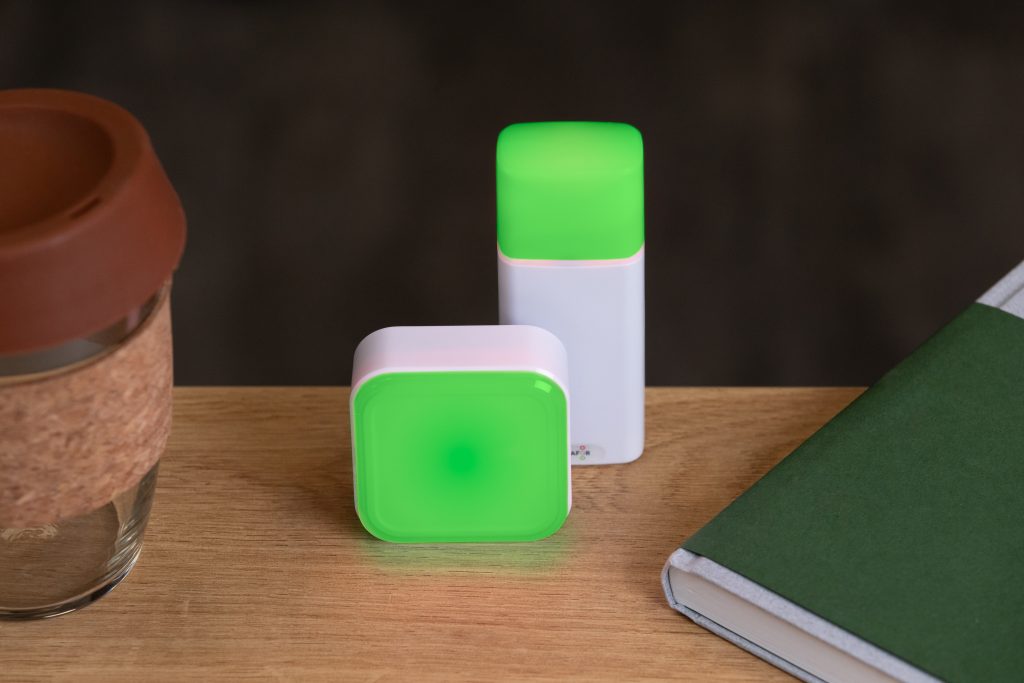
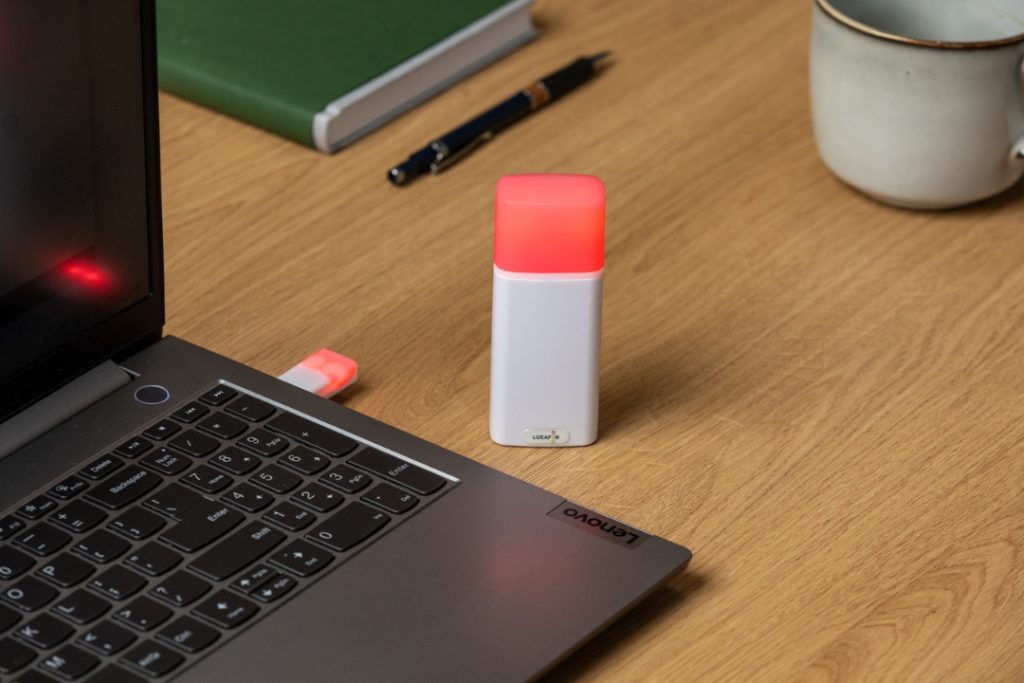
The Luxafor solution offers a simple yet powerful framework for maintaining focus by combining visual cues and adjustable Pomodoro intervals. Whether you’re sharing an office, working from home, or setting up remote meetings, this stylish USB device minimizes disruptions silently. When you utilize green to indicate “I’m available” and red to indicate “deep work,” you immediately gain control over your time and space.
If you’re serious about time management with a tool that boosts rather than depletes your productivity, the Luxafor Pomodoro Timer is the perfect companion. It is simple to use, haptic, and designed to help you avoid burnout while maximizing your ability.
About the author :
Irina Shateeva is a PR Manager with extensive experience in copywriting and event management. In her job, she writes a lot about technology and startups. When she’s not working, she goes trekking, horseback riding, explores wild off-the-beaten path destinations, or shows people the beauty of her favorite country, Colombia, as a tour leader.
LUXAFOR HELPS PEOPLE TO ACHIEVE THEIR GREATEST PRODUCTIVITY LEVELS WITH A WIDE VARIETY OF OFFICE PRODUCTS. LET’S BE PRODUCTIVE TOGETHER!
Show your colleagues when you're busy!
Best Pomodoro Timer Apps for Deep Work in 2025: A Comprehensive Guide for Remote Professionals






Tags
Archives
- March 2026
- January 2026
- December 2025
- November 2025
- October 2025
- September 2025
- August 2025
- July 2025
- June 2025
- May 2025
- February 2025
- January 2025
- December 2024
- November 2024
- October 2024
- September 2024
- August 2024
- July 2024
- June 2024
- May 2024
- April 2024
- March 2024
- February 2024
- January 2024
- December 2023
- November 2023
- October 2023
- September 2023
- August 2023
- July 2023
- June 2023
- May 2023
- April 2023
- March 2023
- February 2023
- January 2023
- December 2022
- November 2022
- October 2022
- September 2022
- August 2022
- July 2022
- June 2022
- May 2022
- April 2022
- March 2022
- February 2022
- January 2022
- December 2021
- November 2021
- October 2021
- September 2021
- August 2021
- July 2021
- June 2021
- May 2021
- April 2021
- March 2021
- February 2021
- January 2021
- December 2020
- November 2020
- October 2020
- September 2020
- August 2020
- July 2020
- June 2020
- May 2020
- April 2020
- March 2020
- December 2019
- November 2019
- October 2019
- September 2019
- August 2019
- July 2019
- April 2019
- March 2019
- January 2019
- December 2018
- November 2018
- October 2018
- September 2018
- August 2018
- July 2018
- June 2018
- August 2017
- May 2017
- April 2017
- February 2017
- January 2017
- November 2016
- October 2016
- September 2016
- August 2016
- July 2016
- June 2016
- May 2016
- April 2016
- March 2016
- February 2016
- January 2016

