
Setting Up a Home Office for Maximum Focus: Lighting, Signals, and Ergonomic Best Practices

Image from Pexels
Many people now work from home, but an unsuitable office design can have a negative impact on your physical health. Poor ergonomics, such as an unsupportive office chair or a desk at the incorrect height, are frequently the hidden causes of recurring back discomfort.
The link between ergonomics, lighting, and physical health is apparent, since a well-designed environment improves comfort while reducing strain and damage. This post will give you the best ergonomic home office setup suggestions to help you build a workstation that benefits your body and increases home office productivity.
Why Lighting and Ergonomics Matter for Home Productivity
The familiar, heavy sensation that creeps behind your eyes at three o’clock, making the screen shimmer and your focus crumble, is a physiological response, a silent signal from your body’s most ancient clock. This moment, when home office productivity plummets, symbolizes a gap between your internal biology and the lighting in your home office. We frequently accept this crash as an unavoidable part of the job, blaming it on lunch, but the driver is often the repetitive, spectrally impoverished light we sit in for eight hours.
The connection between your illumination and your sensation of well-being is not based on personal preference. It is a fundamental biological discussion that occurs in the backdrop of your daily workday. Your eyes are packed with sensors that do much more than just provide vision; they collect environmental data and constantly calibrate your internal state based on the light they receive.
Working from home brings distinct issues in terms of ergonomics and lighting. Unlike regular office settings, home offices are frequently improvised and lack adequate ergonomic equipment. This can cause a variety of bodily difficulties, including:
- Back, neck, and shoulder pain
- Carpal tunnel syndrome
- Eye strain, headaches
- Fatigue and reduced home office productivity.
You can lower the likelihood of these problems and enhance your general health by practicing good ergonomics and enhancing home lighting.
The Role of Visual Signals in Maintaining Focus
The ability to remain focused for long periods is dependent on proper cognitive conditions and lighting is one of the main factors that regulate those conditions. Light is the primary input that the circadian system uses for synchronization: bright, and cool-toned light in the morning inhibits melatonin and increases cortisol, while dim lighting does the opposite effect.
This misalignment has measurable effects:
- Fatigue. Constant low-level tiredness that is not completely eliminated by sleep.
- Irritability. Emotional control and stress tolerance are not very high.
- Visual discomfort. Headaches, dry eyes, and problems with screen clarity.
- Sleep latency. Prolonged time taken to fall asleep because of disturbed evening melatonin timing.
Clear visual signals are significant since they provide order to the surroundings. When the brain gets clear and stable cues about the current working mode, it uses the cognitive resources more effectively and is less disturbed by the ambiguous signals from the environment.
Using Luxafor lights for distraction-free work
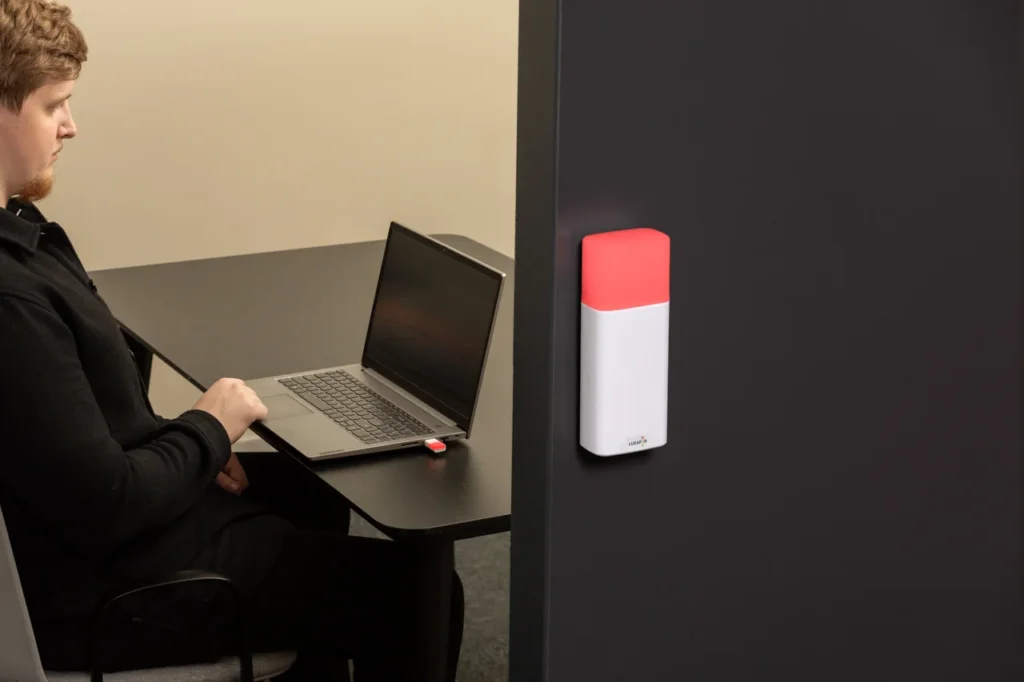
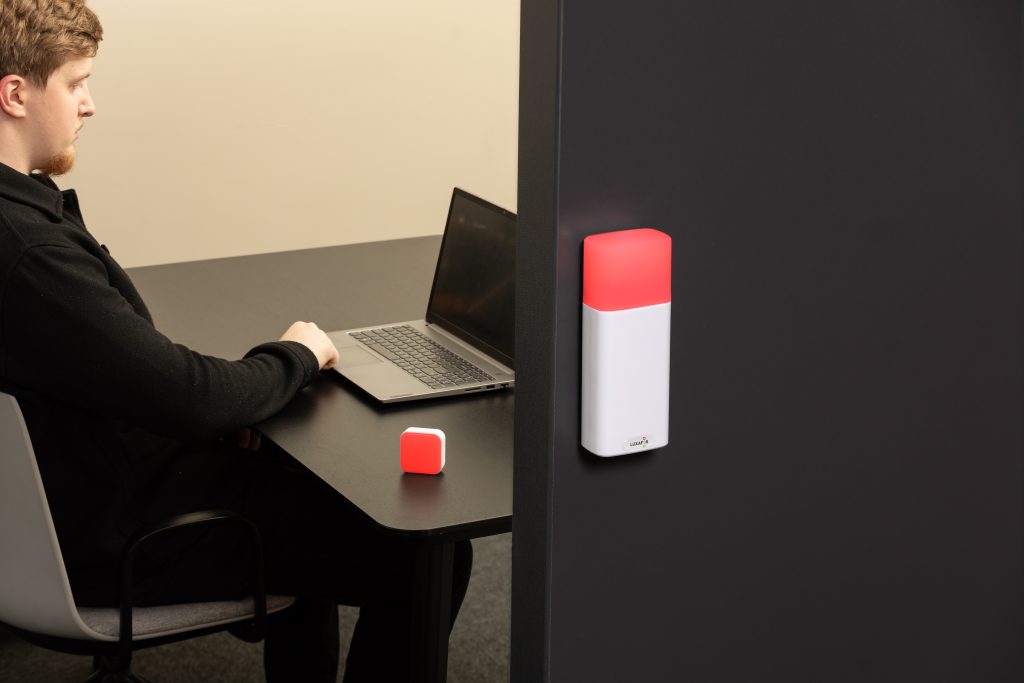
Luxafor devices utilize these principles by presenting clear-cut, strong, and easily-seen signals showing when deep work is not disturbed. Their device is made with the purpose of providing quick and clear signals in common places to the point where such states of focus can be seen and understood in the same way all the time.
They cut down the put of people having to think and decide what kind of availability by:
- Making non-confusing red focus lights for home office that are immediately recognized by the employees through which focus areas are marked as no entry. The lights are created using RGB LED lights for focus that can be changed (up to six independent diodes depending on the model) along with brightness settings that are adjustable so even the very bright offices won’t overpower the light and the people using it will still see it.
- Getting rid of the unexpected interruptions which is one of the leading causes of the splitting up of attention and mental exhaustion. Use low-latency USB or Bluetooth control (USB-powered Luxafor Flag; wireless Luxafor Bluetooth with ~10–15 m stable range) to ensure your immediate status update when focus mode is turned on.
- Assisting with the development of cognitive states that are consistent. It is done by linking the focus signs with the stable focus lights for home office environments that are in accordance with the body’s natural sleep-wake cycle, using the continuous illumination profiles and automation through the Luxafor API or webhook triggers that synchronize signals with calendar events, focus timers, or online-meeting detection.
- Setting up and reinforcing the company culture. The deep-work sessions are not reactive but predictable and get support from onboard manual controls (Luxafor Flag button for immediate state changes) and software-level integrations that enforce shared protocols without depending on subjective interpretation.
In combination with the lighting that is in sync with the body’s internal clock, the deterministic device-level signals provided by Luxafor have helped hybrid workers to concentrate for a longer time and less straining of coordination which usually decreases productivity.
Ergonomic Essentials for Remote Professionals
The highest quality of output from remote workers comes when their environment is such that there is less interference and these workers are supported for long brain activities. Ergonomic requirements, covering aspects like lighting, sitting position, gadgets, and social background, provide a reliable atmosphere for concentration, managing energy, and staying productive for a long time.
Choose the right chair
As for ergonomics, your chair is the prime equipment in the office. A chair should be selected that gives adequate lumbar support and is flexible in height and tilt adjustment. Your feet ought to be on the floor, and your legs should be horizontal. Properly adjusted armrests can also act as support for your arms and shoulders.
Position your keyboard and mouse correctly
Your wrists must be straight and your elbows should be near your body when you set the position of your keyboard and mouse. The height of your keyboard should be such that your shoulders are relaxed. Think of a keyboard tray or a laptop stand to help you get the right height.
Adjust your monitor height
Your screen has to be positioned in such a way that you will glance straight ahead and your neck will be in a neutral position. The highest point of your monitor should be around eye level or just slightly lower, so that it is easy for you to let your eyes sink naturally into the content on your display. A monitor stand or a pile of books might be helpful in getting the right height.
Use proper lighting
As pointed out previously, your work area has to have sufficient light. Locate your computer monitor in a way that makes it perpendicular to the windows or the light sources in the room, this will help eliminate any reflections on the screen. In case the room is still dark, a desk lamp with a bright and adjustable bulb can be used to light up the area.
If Luxafor devices are already in operation in conjunction with various settings, then the lighting factors can be adjusted automatically through the integration: the API can manage the desk-lamp or smart-light preset adjustments when the focus mode is switched on, while USB or Bluetooth status changes can represent the circadian-aligned lighting scenes. The visual environment and the availability signals will change at the same time which reduces the cognitive load of manually setting your ergonomic workspace every time you switch to deep work.
Take breaks
Don’t forget to give yourself some time off after each hour of work and move your body a little bit. Use your phone or an app to alert you every hour for a break, and make it a part of your daily schedule. Get up, do some stretching, and take a short walk to improve blood flow and lessen tiredness.
How to Combine Lighting and Desk Setup for Maximum Focus
Lighting setup for remote work is going in the direction of being very simple and flexible and at the same time being considerate to users’ attention and comfort. Probably, the most productive environments would still be the ones with light stability, quietness, and personal control over the brightness and tint as the major factors. Surfaces and fixtures allowing very small and precise adjustments help the users to stay in a proper visual state during different tasks and exposure to daylight. Workspace optimization with precise light, matching the task with the tone, and keeping the field calm so that attention can perform its best.
Final Tips for Building the Perfect Home Office
Begin with the essentials: adjustable, circadian rhythms-supportive lighting; desk ergonomics that maintains your visual and physical posture and comfort neutral; and hardware-level signaling that provides no ambiguity about your work environment. After that, prioritize the creation of predictable routines, so your ergonomic workspace becomes accustomed to you rather than the other way around.
If you wish for your home office to help you achieve a deeper focus with less effort, then Luxafor’s signaling productivity tools for home offices are among the easiest and most effective upgrades to make. Check out the entire collection to set up your focus cues, smoothen your workflow, and make a space that finally cooperates with your brain.
Show your colleagues when you're busy!
Article author

Kaspars S.
Productivity tool developer, corporate leader, and technical director at Luxafor
Setting Up a Home Office for Maximum Focus: Lighting, Signals, and Ergonomic Best Practices






Tags
Archives
- June 2026
- May 2026
- March 2026
- January 2026
- December 2025
- November 2025
- October 2025
- September 2025
- August 2025
- July 2025
- June 2025
- May 2025
- February 2025
- January 2025
- December 2024
- November 2024
- October 2024
- September 2024
- August 2024
- July 2024
- June 2024
- May 2024
- April 2024
- March 2024
- February 2024
- January 2024
- December 2023
- November 2023
- October 2023
- September 2023
- August 2023
- July 2023
- June 2023
- May 2023
- April 2023
- March 2023
- February 2023
- January 2023
- December 2022
- November 2022
- October 2022
- September 2022
- August 2022
- July 2022
- June 2022
- May 2022
- April 2022
- March 2022
- February 2022
- January 2022
- December 2021
- November 2021
- October 2021
- September 2021
- August 2021
- July 2021
- June 2021
- May 2021
- April 2021
- March 2021
- February 2021
- January 2021
- December 2020
- November 2020
- October 2020
- September 2020
- August 2020
- July 2020
- June 2020
- May 2020
- April 2020
- March 2020
- December 2019
- November 2019
- October 2019
- September 2019
- August 2019
- July 2019
- April 2019
- March 2019
- January 2019
- December 2018
- November 2018
- October 2018
- September 2018
- August 2018
- July 2018
- June 2018
- August 2017
- May 2017
- April 2017
- February 2017
- January 2017
- November 2016
- October 2016
- September 2016
- August 2016
- July 2016
- June 2016
- May 2016
- April 2016
- March 2016
- February 2016
- January 2016

