
Future of Remote Work: Why Visual Availability Signals Can Reduce Meeting Overload

Image from Pexels
Remote work meetings are designed to bring teams together, align their goals, and solve problems. However, as meetings pile up, they might become a hindrance rather than an aid.
Excessive meetings disrupt concentrated work, create weariness, and reduce productivity. Fortunately, in this article, we'll look at the consequences of too many meetings, provide techniques for reducing your schedule, explain visual availability signals, and provide practical advice to ensure that meetings are productive. In addition, we'll show you how Luxafor can aid improve team connection and recognition without requiring another call.
Why Meeting Overload Is a Modern Productivity Killer
Remote work meetings have become a major force in the modern workplace. Employees currently spend an average of 35 hours a month in meetings, leaving little time for focused, continuous work. In fact, most professionals spend more time communicating (57%) than creating (43%), which shifts the focus away from execution. It’s also…
1. Disrupting deep work and focus
Constant context hopping between meetings and individual work is one of the leading causes of diminishing hybrid work productivity. Employees who attend back-to-back meetings struggle to find uninterrupted time to work on strategic assignments.
75% of employees report losing focus during meetings, indicating that even when they are there, their cognitive involvement is low. What was the result? Teams leave meetings without clear takeaways, necessitating more follow-ups and exacerbating the situation.
2. Increasing employee burnout and mental exhaustion
Overuse of meetings has a negative impact on employee well-being in addition to reducing hybrid work productivity. 40% of employees report mental exhaustion from video conversations while working remotely, and 64% say that repeated meetings are the leading cause of fatigue in their workday.
When remote work meetings take up the majority of the schedule, employees feel stressed, stretched thin, and unable to focus on important work. Excessive meetings overwhelm 45% of workers, contributing to disengagement and burnout.
3. The high financial cost of inefficient meetings
Beyond time and energy, unnecessary meetings have a high financial cost. Companies spend an average of $25,000 per employee each year on useless meetings. On a bigger scale, ineffective team communication costs organizations up to $62.4 million per year, diverting resources that could be better spent on strategic goals.
Businesses that fail to reduce meeting overload lose millions of dollars in wasted work hours, in addition to affecting individual productivity.
How Luxafor Helps Create a Balance Between Collaboration and Focus
Today’s teams are experiencing difficulties due to an increase in meetings, regular check-ups, and interruptions that cannot be predicted. Studies indicate that almost 10% of the workforce spends more than 15 hours a week in meetings, while around 20% are in a similar situation but for more than 10 hours.
Communication overload at this level is predicted by the experts to have a draining effect on productivity, worsen the corporate culture, and give the workers a “meeting hangover” which decreases their concentration long after the call has ended. Notifications, spontaneous chats, or lack of clear guidance might cause interruptions which take up to 9 minutes of recovery time each, thus resulting in a workday filled with divided attention.
Luxafor provides meeting fatigue solutions to this problem by implementing a visible system that announces loudly and clearly when a person is deeply involved in work, is available, or is in a meeting. Instead of communicating through guesswork or waiting until the messenger is free, the coworkers can see a physical signal that tells them who is available. This results in less “quick chats” being unnecessary, fewer accidental interruptions during meetings, and more quality time for teams to have a good balance between heads-down work and collaboration.
Using color codes for status and availability
The use of color-coded visual availability signals is a very easy method for teams to define their limits without giving long explanations or sending additional messages. The light changes immediately show the work state of a person, which decreases the necessity of status checks, calendar peeking, or even tapping someone on the shoulder.
Usually, teams manage meeting overload and team communication friction by the following use of color codes:
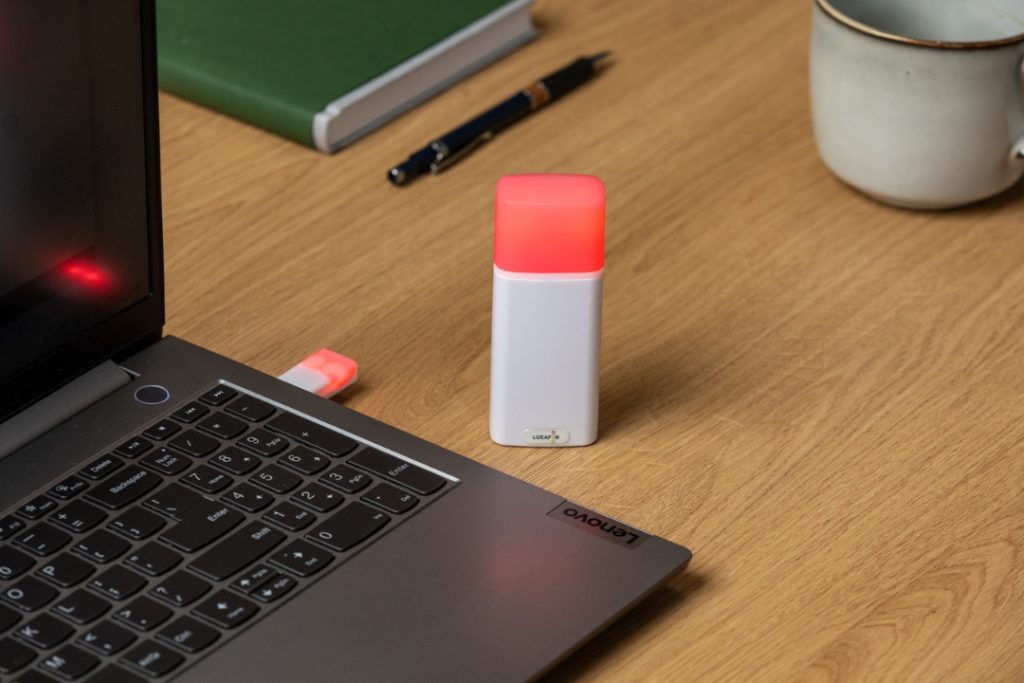
Red for deep focus or Do Not Disturb
This is beneficial in confronting the “paradox of connectivity,” in which being always reachable brings more interruptions and lowers the quality of work at the same time. A coworker will know not to bother the one who has a red light on unless it is a real emergency. This allows for longer periods of time without disturbances, which is exactly what the specialists recommend to lessen stress, burnout, and frequent changes in one’s mental focus.
Blue for active meetings
A visible meeting indication lessens inadvertent interruptions in the office and even for remote workers. It indicates that the person may require some time to get organized after the call, thus avoiding consecutive disruptions that usually lead to meeting fatigue. This also indicates that the person is not there for immediate communication just after every video call.
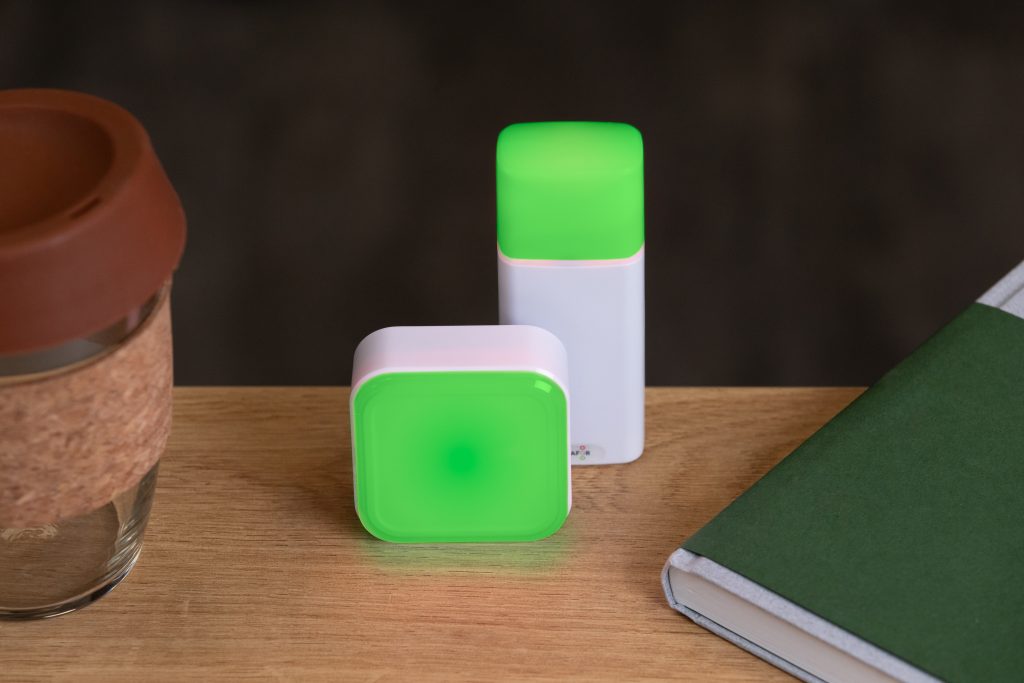
Green for availability
By using this method, the number of unnecessary messages is cut down and it is made clear when a coworker is ready for cooperation. It enables situations in which people randomly talk to each other without getting stuck, as people pick the right time based on a clear signal rather than guesswork.
Yellow for transitions
Transition states are a great way to avoid “micro-interruptions.” They indicate that the individual is finishing a task, jotting down notes after a phone conversation, or switching between different things to do, periods when interruptions would otherwise break attention into pieces.
Thus, through these light-based rules, availability becomes a common language for the whole team that is consistent, predictable, and resilient to overloading with meetings. They enable managers to honor attention, employees to shield their cognitive bandwidth, and teams to cooperate more effectively and deliberately.
Strategies to Reduce Unnecessary Meetings
The first action to take in the process of cutting down meetings is to find the ones that are not needed. Although some remote work meetings are important for collaboration, making decisions, and building a cooperative work atmosphere, others can be completely eliminated. It’s time to do something about it.
The following are the methods that can help you in trimming down the number of meetings which are not required:
1. Start with a clear policy
Establish a meeting policy and make sure that team members follow it. For example, all-hands or company-wide meetings should take place no more than four times a year unless there is an urgent situation. Managers should be aware of the right frequency to schedule one-on-one meetings with their subordinates to make sure their views are aligned.
2. Hold meeting-free days or times
Set aside times on the company calendar when no meetings are scheduled. For example, this could be Thursday afternoons or the whole of Monday. It might be different from the employees’ schedules and the company’s overall workflow, but when people know they will have time to concentrate without being interrupted by a call, they will be able to adjust their timetable accordingly.
3. Encourage employees to block work time on their calendars
In case workers have a project that needs total attention, they can always put time management for remote teams on their calendar as work time so that nobody will interrupt them. This is also a nice way to support workers’ time management skills daily or weekly. They must be given the right to cut off their most productive hours so that they can have the time to focus when they think they will be able to work best.
4. Use alternative forms of communication
Technological advancements such as instant messaging and email are very effective in reducing the number of meetings. It is important to provide the team members with appropriate focus management tools for collaboration and communication in an asynchronous way. This means that the team members do not have to communicate through a call or be present in the office to finish a project. Project management software can also create a space for employees to update their work without interrupting or distracting other workers.
5. Encourage employees to decline meetings
An employee is invited to a meeting without a specific agenda or one they don’t think they should be at, suggesting them to refuse in a nice way. They are also allowed to reject meetings if they have more important jobs to do or if the meeting would pull them away from their current assignment.
The Future of Asynchronous Work and Communication
With the ongoing transition of teams to hybrid and distributed models, the future of work will rely on those focus management tools and practices that lessen the noise, safeguard the deep work time, and make collaboration easy without the need for continuous instant interaction. Async collaboration gets its power from the visibility of the availability of people, the predictability of the expectations, and the control of the interruptions.
If your aim is to set up a workflow where focus and cooperation can be smooth, the visual availability signals will help you a lot in the transition. Make use of Luxafor signals to set up a very clear, non-intrusive communication system that works well with large-scale asynchronous work.
Show your colleagues when you're busy!
Future of Remote Work: Why Visual Availability Signals Can Reduce Meeting Overload






Tags
Archives
- March 2026
- January 2026
- December 2025
- November 2025
- October 2025
- September 2025
- August 2025
- July 2025
- June 2025
- May 2025
- February 2025
- January 2025
- December 2024
- November 2024
- October 2024
- September 2024
- August 2024
- July 2024
- June 2024
- May 2024
- April 2024
- March 2024
- February 2024
- January 2024
- December 2023
- November 2023
- October 2023
- September 2023
- August 2023
- July 2023
- June 2023
- May 2023
- April 2023
- March 2023
- February 2023
- January 2023
- December 2022
- November 2022
- October 2022
- September 2022
- August 2022
- July 2022
- June 2022
- May 2022
- April 2022
- March 2022
- February 2022
- January 2022
- December 2021
- November 2021
- October 2021
- September 2021
- August 2021
- July 2021
- June 2021
- May 2021
- April 2021
- March 2021
- February 2021
- January 2021
- December 2020
- November 2020
- October 2020
- September 2020
- August 2020
- July 2020
- June 2020
- May 2020
- April 2020
- March 2020
- December 2019
- November 2019
- October 2019
- September 2019
- August 2019
- July 2019
- April 2019
- March 2019
- January 2019
- December 2018
- November 2018
- October 2018
- September 2018
- August 2018
- July 2018
- June 2018
- August 2017
- May 2017
- April 2017
- February 2017
- January 2017
- November 2016
- October 2016
- September 2016
- August 2016
- July 2016
- June 2016
- May 2016
- April 2016
- March 2016
- February 2016
- January 2016

