
Top 5 Ways Luxafor Helps Boost Workplace Productivity

Image from Pexels
In the long run, the productivity of a company is of critical concern because it directly hampers their finance pages. It displays your output and income performance. You need efficient ways to raise production without sacrificing quality or overworking your staff if you want to increase its efficiency. Here, we'll look at over five ways Luxafor could improve workplace productivity.
Why Workplace Distractions Cost You Money
Industry study indicates that numerous emails, meaningless meetings, and frequent interruptions are the primary causes of distraction. It takes 16 minutes for the average employee to regain focus after replying to a new email and he checks his inbox 36 times per hour. 91% of the staff confess to fantasizing during the 62 meetings they attend monthly.
At the end of a day, they may often feel like they did not accomplish anything. Decreased productivity leads to extended working hours and this can create a cycle of dissatisfaction.
How Luxafor Flag Prevents Interruptions
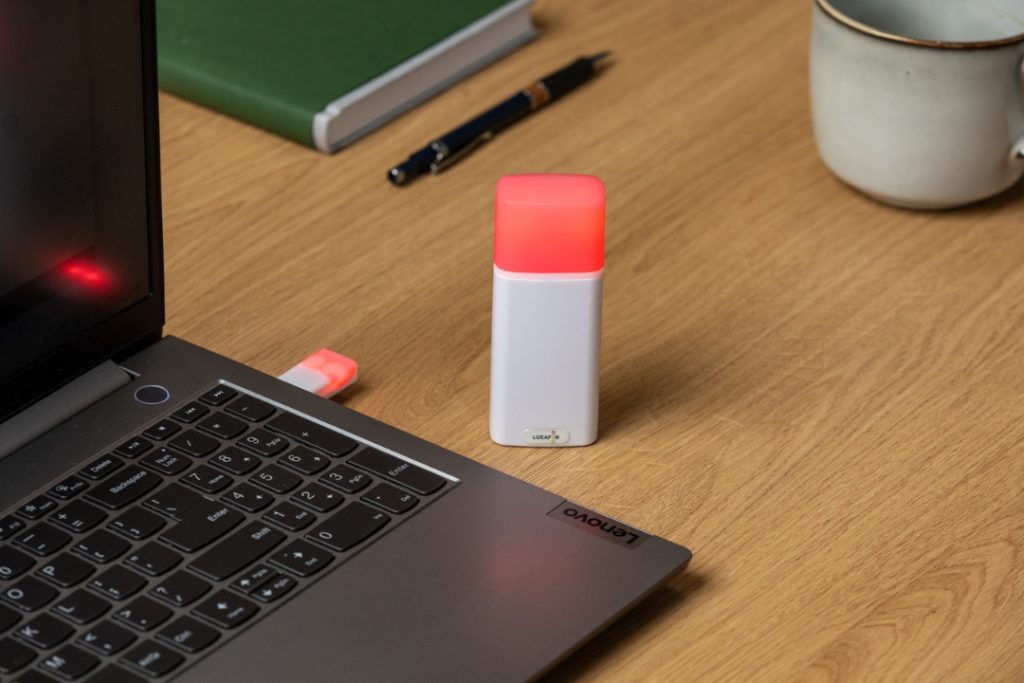
In dispersed and mixed systems, cognitive context switching is the major reason for the loss of attention. The Luxafor Flag is one of the focus light for remote work that indicate the readiness or availability of a team in collaborations; it creates a quick, efficient, and machine-readable layering between the humans’ presence and the digital status systems. The USB-A or USB-C connected Flag gives a local application programming interface (API) and interacts with the software to synchronize the real and virtual availability states.
This somewhat clarifies the “do-not-disturb” messages and reduces the possibility of interruptions that could otherwise disturb the deep-work cycles. The RGB array which is controlled by the firmware has a state change latency of milliseconds, and there are desktop and mobile controllers for the triggers across different platforms. Our office productivity gadgets serve as an extension of a human-machine interface for the visibility orchestration; it not only improves the communication of status but also relieves the cognitive burden of manual coordination.
The main distraction management tool integrations are:
- Microsoft Teams: From REST API, there is a two-way presence synchronization, which during a call or meeting, the LED output is frozen to be the same as the participant’s status, and interruptions are also eliminated during the session.
- Klaviyo / Gmail via Zapier: Event notifications of custom webhook for prioritizing messages; LED light patterns indicate only the most important messages, thus preventing noise even at the hardware level.
- Slack and Jira connectors: Automatic context signaling: task changes or sprint modes affect the colors of availability states, indicating focus or collaboration phases.
- Elgato Stream Deck: HID commands enable macro-based control, allowing instant toggling of states without leaving the active window, which is perfect for live or creative workflows.
- Luxafor Web API: It is an open API layer which allows the usage of Python or Node for developing custom integrations, workflow automation, and instant board data distribution.
Large number of integrations coalesce together to change Luxafor Flag from a mere non-intrusive Luxafor productivity lightt to an active attention management system. With the presence of information integrated into the communication patterns of the organization, the teams may keep their communication patterns predictable, cut unexpected interaction by up to 60%, and maintain the focus latency constant via asynchronous and synchronous workstreams.
Light-Based Productivity: Science Behind It
Light is one of the main factors that affect health at work, since people usually spend more than 8 hours a day in the workplace. It is important to take into account that a lit workspace can help to create a healing environment rather than an exhausting one, which in turn will lead to the achievement of the goals along with the fulfillment of the career aspirations.
According to light-science principles, Luxafor Flag’s “light” denotes a biopsychological productivity interface. The text addresses the impact of circadian cycles on human performance and awareness. Normal lighting in offices frequently involves non-visual light wavelengths, which may cause a disruption in the body’s natural rhythms. Instead of light, the Flag communicates through custom lights in workflows, behavioral feedback.
Actually, this means that the LED indicators of the device, which are color-coded status lights, have two functions:
- The functional signaling is the means of communicating to your co-workers whether you are available or your attention is paid,
- and cognitive entrainment is the provision of very soft visual stimulations to support the focus-break and mental readiness cycles with light exposure through light.
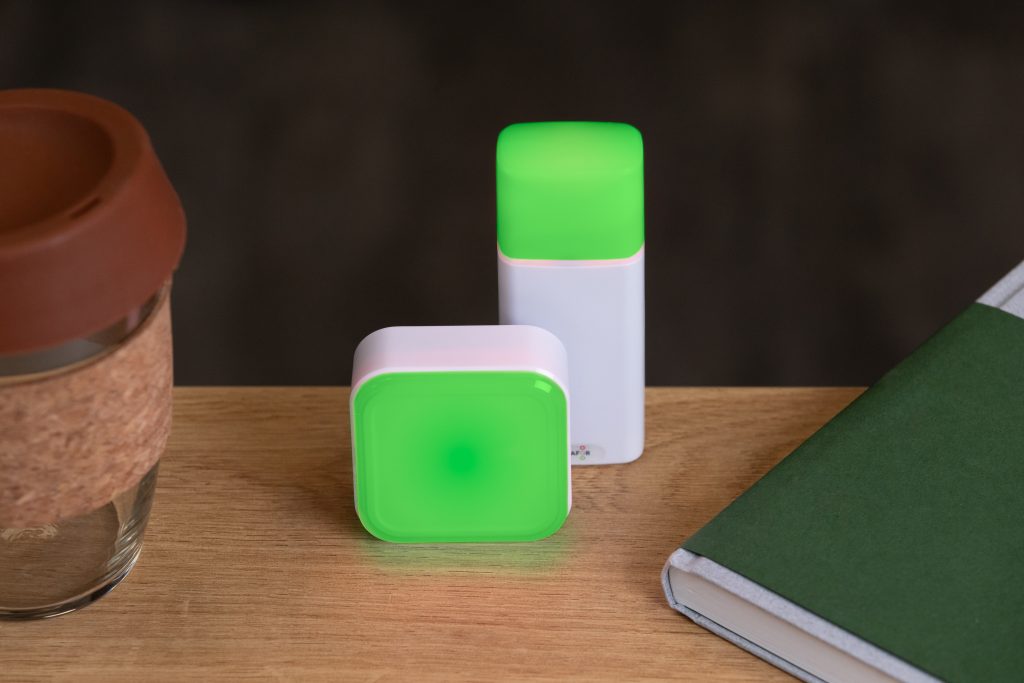
By correlating the color-coded cues (e.g., red for deep work, green for availability, and blue for meeting mode) to internal focus states, the Flag ingeniously transforms artificial light into a positively active variable of productivity.
Nathan Duersch, Director of Operations at Symantec, claims: ‘’I’ve used a few
Luxafor products and have found them to be simple, effective, and cost-saving. I
purchased the Luxafor Flag for my team as we work in an ‘open office’ environment.
The flags have helped my team deflect ‘walk ups,’ which has improved their
efficiency. We now have other departments asking where they can get these flags.’’
To summarize, Luxafor devices externalize attention restrictions, allowing remote workers to remain cognitively engaged. By explicitly outlining attention priorities without the need for ongoing digital messaging, they reduce the costs of multitasking and improve workplace productivity, allowing team members to work productively while remaining aligned with common goals.
How to Get Started with Luxafor
The Luxafor Flag configuration is a quick and easy process. To begin, you must download the Luxafor desktop app from luxafor.com/download, connect your Flag stat with the original USB cable, and keep it on the place with the provided magnet. The app takes care of everything else after the activation since no drivers are needed for the configuration process.
Basic integrations are:
- Microsoft Teams: To make use of Microsoft Teams, navigate to the Teams page of the application, log in, and show your status with the LED colors (for example, Busy = Red, Available = Green). Your LED color will then be matched to your status immediately.
- Zoom: Once you sign in at the Zoom tab, you will start seeing the color assigned for your Zoom presence. The Flag will update every time you enter or exit a call.
- Zapier may be used by getting the Luxafor ID from the tab, creating a Zap, using it to trigger from apps like Gmail, Jira, or Slack, and finally selecting the action “Change Luxafor Color”. It is great for setting up alarms, deadlines, and creating status indications.
- Webhook / API: You can manage the Luxafor productivity light via custom scripts or control through CI/CD events by sending POST requests with your Luxafor ID and color parameters using the API or webhooks.
- Email Notifications: Notifications will be routed to Gmail or IMAP and the filters will be set (for instance, “order” or “urgent”) along with the LED alert behavior being customized.
The different modes work separately. Just click on the corresponding tab to activate it. For an instant and super easy change of colors, utilize the Hotkeys or the mobile control feature (QR under the Webhook tab).
Troubleshooting: If the Flag remains unlit, ensure you are using the original USB cable, the tab is indeed active and you have the latest software version.
Improving the focus setup. Avail a discount of 5% on your Luxafor Flag, Luxafor Orb, or Luxafor Cube. Which is the perfect distraction management tool for hybrid teams.
Show your colleagues when you're busy!
Top 5 Ways Luxafor Helps Boost Workplace Productivity






Tags
Archives
- March 2026
- January 2026
- December 2025
- November 2025
- October 2025
- September 2025
- August 2025
- July 2025
- June 2025
- May 2025
- February 2025
- January 2025
- December 2024
- November 2024
- October 2024
- September 2024
- August 2024
- July 2024
- June 2024
- May 2024
- April 2024
- March 2024
- February 2024
- January 2024
- December 2023
- November 2023
- October 2023
- September 2023
- August 2023
- July 2023
- June 2023
- May 2023
- April 2023
- March 2023
- February 2023
- January 2023
- December 2022
- November 2022
- October 2022
- September 2022
- August 2022
- July 2022
- June 2022
- May 2022
- April 2022
- March 2022
- February 2022
- January 2022
- December 2021
- November 2021
- October 2021
- September 2021
- August 2021
- July 2021
- June 2021
- May 2021
- April 2021
- March 2021
- February 2021
- January 2021
- December 2020
- November 2020
- October 2020
- September 2020
- August 2020
- July 2020
- June 2020
- May 2020
- April 2020
- March 2020
- December 2019
- November 2019
- October 2019
- September 2019
- August 2019
- July 2019
- April 2019
- March 2019
- January 2019
- December 2018
- November 2018
- October 2018
- September 2018
- August 2018
- July 2018
- June 2018
- August 2017
- May 2017
- April 2017
- February 2017
- January 2017
- November 2016
- October 2016
- September 2016
- August 2016
- July 2016
- June 2016
- May 2016
- April 2016
- March 2016
- February 2016
- January 2016

