
The Ultimate Guide to Managing Business Email and Deep Focus Time

Image from Pexels
We've all been there. You sit down to work on a big project and get ready to go deep. Then, a message pops up on your screen. A message in an email. After that, a Slack message. After that, a reminder on the calendar. You reply to three messages and an hour goes by without you even knowing it. That big project hasn't moved an inch.
It’s tough to find rhythm when your inbox feels like a revolving door of distractions. But finding that balance between staying responsive and getting real work done isn't just a dream, it's totally doable. In this guide you will be able to walk through reclaiming your time, mastering your inbox, and protecting that precious deep focus time so you can actually reach your goals.
The Battle for Your Attention
Once your business is set up, your site is launched, your domain is purchased, and your business email address is created, it’s time to move forward. But let’s be honest, email can be overwhelming. You have to pay attention to it right away, no matter what. The issue isn’t the technology itself; it’s how we let it control our day. Reacting to every notification allows other people’s priorities to take over your own.
Deep focus, that state where you’re fully immersed in a task is where the magic happens. It’s where you solve complex problems, write your best copy, and build the things that move your business forward. But deep focus is fragile. One interruption can shatter it, and research shows it can take over 20 minutes to get back on track.
To win this battle, you need a strategy. You need to decide when you’re "open for business" and when you’re in "do not disturb" mode. It starts with setting boundaries and using the right tools to enforce them.
Mastering the Inbox Tsunami
You don’t need to reach “Inbox Zero” every single day to be productive (though it feels pretty good when you do). You just need a system that keeps the chaos at bay.
Batch Your Correspondence
Instead of checking email every five minutes, try batching. Set specific times during the day to process your inbox, maybe once in the morning, once after lunch, and once before you sign off. Treat email like a meeting you schedule with yourself. During those blocks, go hard: reply, archive, delete. When the time is up, close the tab. This simple switch stops the constant context switching that drains your brainpower
The Two-Minute Rule
If an email takes less than two minutes to answer, do it right then and there during your batching time. Don’t label it “for later.” Just clearing these small items out of the way creates momentum and keeps your to-do list from getting clogged with tiny tasks.
Create Folders that Make Sense
Don’t let your inbox become a storage unit. Set up a simple folder system based on action, not just subject. Use folders with names like “To Do,” “Waiting On,” and “Read Later.” As soon as you get an email, put it in the right place. This helps you keep your main view clear and figure out what really needs your attention and what can wait.
Busy Tag: Stay focused and avoid distractions
Protecting Your Deep Work Zones
Now that email is under control, let’s talk about carving out space for the heavy lifting. Deep work requires intention. You have to defend it like a castle.
Schedule Your Focus Blocks
If it’s not on your calendar, it doesn’t exist. Block out 90-minute chunks of time for deep work. During these blocks, you are unavailable. No meetings, no calls, no “quick questions.” This is your time to build, create, and think. Treat these appointments with the same respect you’d give a meeting with a top client.
Visual Cues and "Busy Lights"
One of the hardest parts of focus time is managing the people around you (or virtually around you). How do your colleagues or family know you’re in the zone without you having to snap at them? This is where visual signals change the game. You need a clear way to signal your status, busy or free, without saying a word.
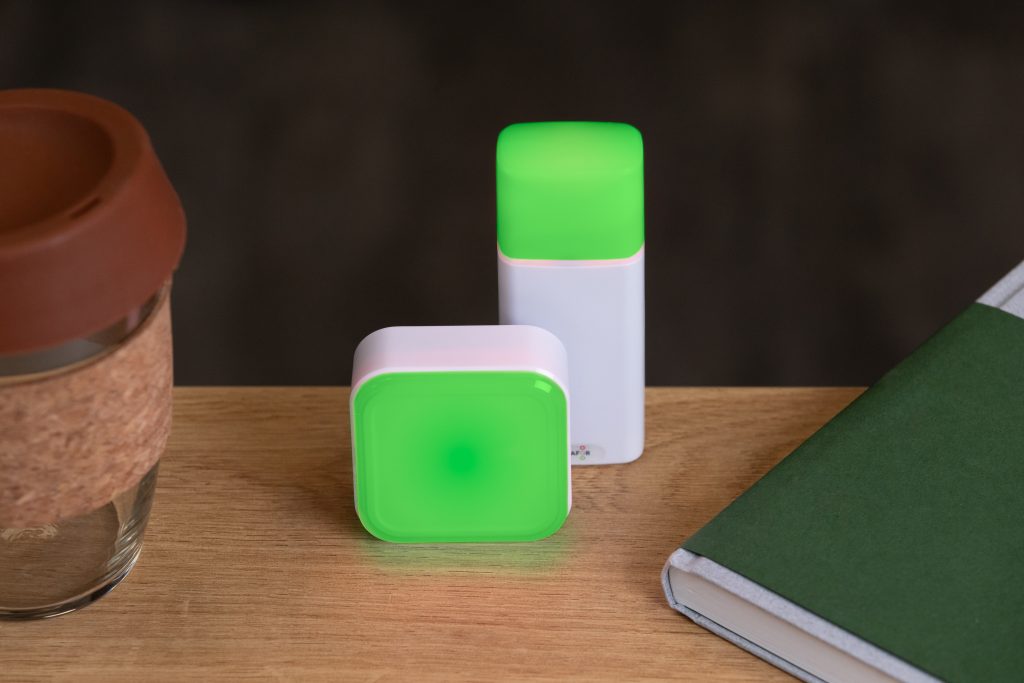
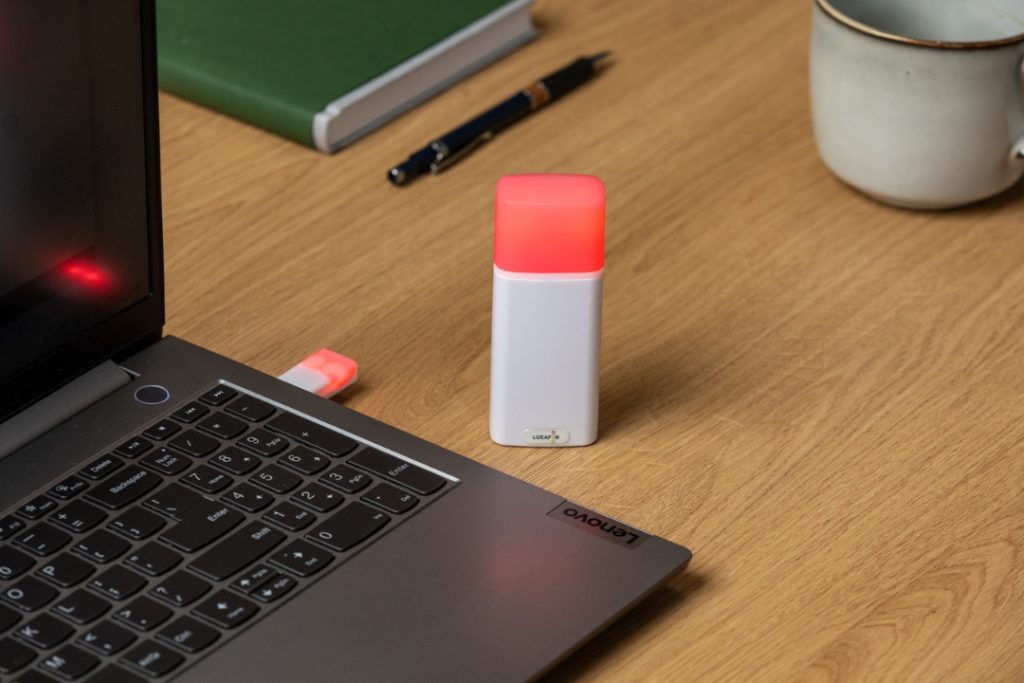
Enter the “Busy Light.” These nifty gadgets are essentially physical status indicators that sit on your desk or monitor. Think of it as a “On Air” sign for your own office. When the light is red, you’re in deep focus mode, emails are paused, Slack is muted, and you are not to be disturbed. When it’s green, you’re open for collaboration. But modern Busy Lights are more than just glowing bulbs; they are infinitely customizable productivity tools. With a simple tap, you can execute complex workflows.
Think about how nice it would be to be able to tap a button on your desk that instantly changes your Slack status to “Focusing,” stops your inbox, starts a Pomodoro timer, and turns your physical light red. That’s the power of these tools. By automating the transition into deep work, you remove the friction that often comes with getting started. This helps your brain switch gears instantly and signals to everyone, whether they’re in the next cubicle or across the globe, that you’re in a protected block of time. It’s a small hardware addition that makes a huge psychological difference.
And it gets even better. Many of these lights now offer wireless connectivity, meaning you can place them anywhere in your workspace without being tied down by cables. A wireless light on your door can signal your focus status to the entire household, not just your virtual colleagues. This small upgrade adds another layer of flexibility, making it even easier to create and protect your deep work environment.
The Power of "No"
Protecting your time often means saying no. No to the meeting that could be an email. No to the project that doesn’t align with your goals. No to the “quick chat” that disrupts your flow. It’s not about being rude; it’s about being effective. When you protect your time, you’re ensuring that when you do say yes, you can give it your full energy and attention.
Making Technology Work for You
We often blame tech for our distraction, but it can also be our savior. You just have to configure it correctly.
Turn Off Non-Essential Notifications
This is productivity 101. Go into your phone and computer settings and ruthlessly disable notifications. Do you really need to know the second someone likes your Instagram photo? Does your wrist need to buzz every time a newsletter lands in your inbox? Probably not. Keep notifications on for the absolute essentials (like emergency calls) and silence the rest.
Use Focus Modes
Most smartphones and computers now have built-in “Focus” or “Do Not Disturb” modes. Set them up to trigger automatically during your scheduled deep work blocks. You can customize these to let specific people through (like your boss or partner) while blocking everything else. It’s like putting a bouncer at the door of your mind.
Email Templates are Your Best Friend
If you find yourself typing the same email over and over, stop. Create templates or “canned responses” for common inquiries. Whether it’s a new client onboarding email, a polite decline to a sales pitch, or answers to frequently asked questions, having these ready to go saves massive amounts of time and mental energy.
The Rhythm of Rest
You can’t run a marathon quickly. Deep focus is tiring, and trying to keep it up for eight hours straight will make you burn out. To stay productive over the long haul, you need to manage your energy, not just your time.
The Pomodoro Technique
This classic method works because it includes breaks. Do your work for 25 minutes, then take a break for 5 minutes. After four cycles, take a longer break. Those short pauses let your brain reset, preventing fatigue and keeping you fresh.
Step Away from the Screen
When you take a break, actually take a break. Don’t just go from your work screen to your phone screen. Get up, stretch, get a drink of water, or look out the window. Taking a break from pixels gives your eyes and brain a chance to rest, which helps you get back to work with a clearer mind.
The End-of-Day Review
Before you sign off, take ten minutes to review what you’ve accomplished and make a plan for tomorrow. Delete any emails you still have, add new tasks to your to-do list, and tidy up your digital workspace. This “shutdown ritual” tells your brain that the workday is over, which helps you really relax.
Once your laptop is closed, take a moment for yourself. You could do a short 2-minute meditation, take a few deep breaths, or simply sit in silence. This small pause helps you transition from work mode to home mode, so you can relax and be ready for tomorrow.
Building a Culture of Focus
You can change how everyone works if you are in charge of a group. Everyone benefits from a culture that values focus time.
- Normalize delayed responses: Let people know that it’s fine to not answer emails right away.
- Designate “No Meeting” days: Choose one day each week when you can’t have any internal meetings. This guarantees everyone a block of time that won’t be interrupted.
- Lead by example: If you send emails at 10 PM, your team will feel like they have to respond. Instead of sending those late-night bursts, plan to send them during the day.
Managing your email and protecting your focus isn’t about being a robot. It’s about creating a structure that lets you be human, a human who does amazing work, hits deadlines, and still has energy left over for life outside the office. Start with small changes. Try batching your emails tomorrow. Buy a Busy Light. Block out one hour for deep work. You’ll be amazed at how much more you can achieve when you stop reacting and start directing your day.
Show your colleagues when you're busy!
FAQ
Instead of constantly checking your inbox, try batching your email checks to better handle email distractions. Set aside specific times during the day to check your emails. For example, you could do it once in the morning, once after lunch, and once before you leave. This cuts down on switching between tasks, which helps you focus better on the ones that are most important.
Set aside 90-minute blocks of time for deep work to help you stay focused. Turn off notifications and let your coworkers know you're busy by using visual cues, like a "Busy Light," to show when you're in focus mode.
The Two-Minute Rule says that you should answer an email right away if you can do it in less than two minutes. This method helps you get rid of small things that are in your way, which gives you energy and keeps your to-do list from getting too long with things that aren't that important.
Turn off notifications that aren't necessary on your devices to cut down on distractions. Most smartphones and computers have focus modes that can automatically mute distractions during set times for deep work. This makes the space more conducive to getting things done.
Use methods like the Pomodoro Technique, which says to work for 25 minutes and then take a 5-minute break, to help keep your mind from getting tired. Also, take breaks often to get away from screens, stretch, and drink water. This will make you feel better mentally and physically and give you more energy.
The Ultimate Guide to Managing Business Email and Deep Focus Time






Tags
Archives
- March 2026
- January 2026
- December 2025
- November 2025
- October 2025
- September 2025
- August 2025
- July 2025
- June 2025
- May 2025
- February 2025
- January 2025
- December 2024
- November 2024
- October 2024
- September 2024
- August 2024
- July 2024
- June 2024
- May 2024
- April 2024
- March 2024
- February 2024
- January 2024
- December 2023
- November 2023
- October 2023
- September 2023
- August 2023
- July 2023
- June 2023
- May 2023
- April 2023
- March 2023
- February 2023
- January 2023
- December 2022
- November 2022
- October 2022
- September 2022
- August 2022
- July 2022
- June 2022
- May 2022
- April 2022
- March 2022
- February 2022
- January 2022
- December 2021
- November 2021
- October 2021
- September 2021
- August 2021
- July 2021
- June 2021
- May 2021
- April 2021
- March 2021
- February 2021
- January 2021
- December 2020
- November 2020
- October 2020
- September 2020
- August 2020
- July 2020
- June 2020
- May 2020
- April 2020
- March 2020
- December 2019
- November 2019
- October 2019
- September 2019
- August 2019
- July 2019
- April 2019
- March 2019
- January 2019
- December 2018
- November 2018
- October 2018
- September 2018
- August 2018
- July 2018
- June 2018
- August 2017
- May 2017
- April 2017
- February 2017
- January 2017
- November 2016
- October 2016
- September 2016
- August 2016
- July 2016
- June 2016
- May 2016
- April 2016
- March 2016
- February 2016
- January 2016

