
7 Tips to Organize Your Remote Office to Enhance Productivity

The heady honeymoon phase, when we discovered the freedoms of remote work, is over. When it started, everybody was keen to demonstrate they were worthy of their employer’s trust. By now, we have proved we can deliver a full day’s work without facing the grueling daily commute.
But we’ve also learned that a full day’s work at home differs from just finishing urgent work on the couch between ominous episodes of Severance. A poorly organized home office causes mental and physical discomfort and low productivity.
Don’t treat the symptoms with a shopping spree for glam stationery and office kits. We have some other, more essential steps you can take to enhance productivity and improve our office using many available strategies. Investing in a few small items will make your home office more practical. It will also deliver a direct personal benefit to your living space that your family can share.
How to ensure your home office is a safe and healthy environment for you and others?
1.Learn to Flip the Switch
Remember when you’ve traveled to the office every working day for years? You got used to taking your professionally groomed self off to a built-for-purpose office with formal desks, chairs, decor, and equipment. You stepped into a certain mindset and got on with your job for the next eight hours.
It’s hard to do the same when you work from home. There’s nothing that automatically flips the switch in your mind from home time to work time.
2.Invest in Ergonomic Furniture
Even if you’ve invested in new decor, you may encounter challenges. A stylish chair may look Instagram-worthy, but does it provide comfort and support for your back and arms?
Ergonomic furniture is designed to support your body, reduce strain, and prevent exhaustion. Investing in high-quality office furniture may shrink your purse a little, but it is worth the expense. Most people spend more time in their office chairs than in their beds. Ergonomic furniture is comfortable for long desk sessions, making it cost-effective in the long run.
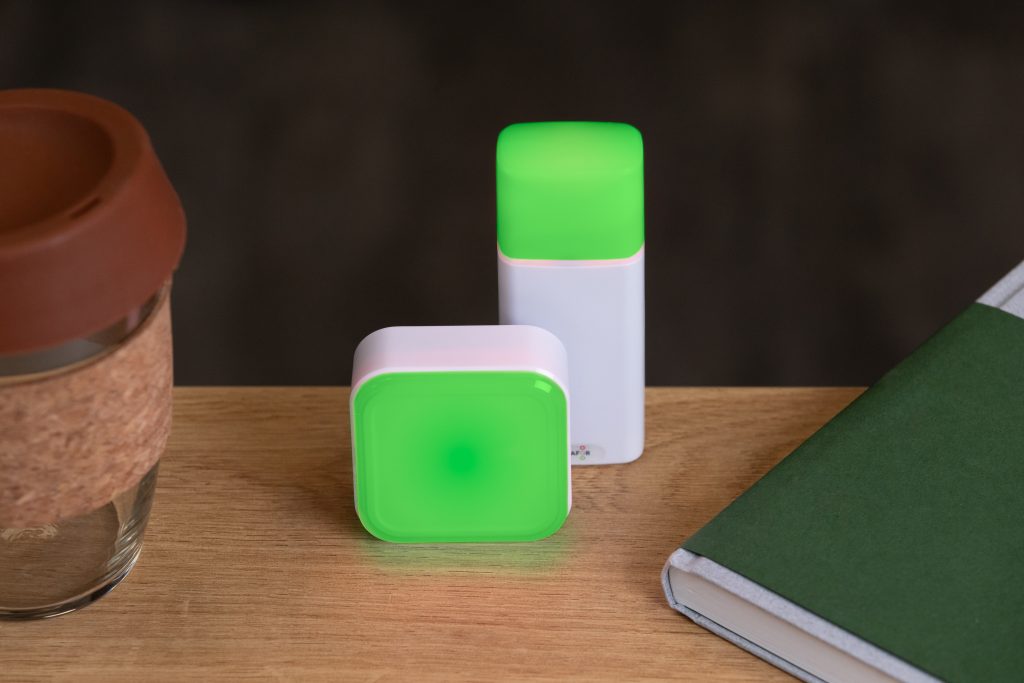
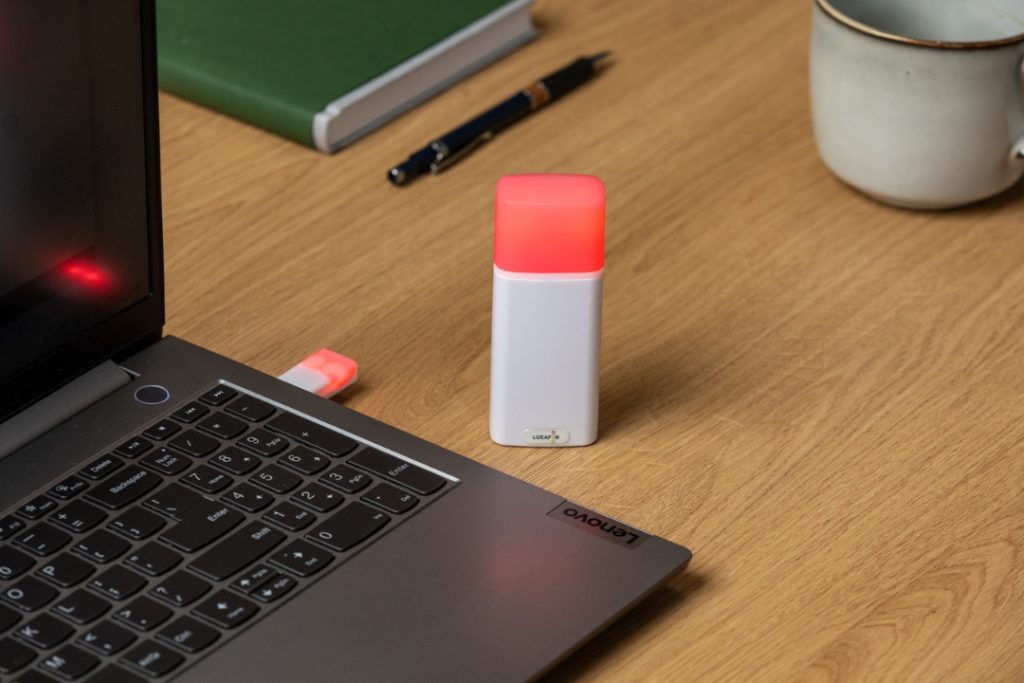
Monitoring indoor CO2 levels is essential.
3.Pare Down Your Devices
Have you considered slimming down your clunky laptop or desktop to a leaner and safer alternative? For example, a Chromebook is a slender laptop that runs on Chrome OS, an operating system that uses Chrome browser as its interface. Importantly, Chromebooks have several built-in security features to protect against viruses and malware.
It’s perfect as a primary device for basic tasks like writing, using web-based applications such as Microsoft Office, and storing your documents in the cloud. Also, thanks to Chromebook’s minimalistic interface, it can be a great way to reduce additional distractions. Chromebooks are lightweight, fast, have long battery life, and are highly affordable which makes them a perfect work laptop.

4.Improve Your Privacy and Cybersecurity
Secure your computer, smartphone, and all of your IoT gadgets with a Virtual Private Network (VPN). You can install a VPN on your router to ensure your fridge, doorbell, and other wireless-capable devices don’t leak your secrets. Then, make sure you install the VPN app on your smartphone and laptop. It will protect your internet connection when you travel to meetings or work on public Wi-Fi in a coffee shop.
Encrypting your connection with a VPN before accessing your company’s resources is essential. A VPN protects your company’s data, networks, and online communication between team members. Keep in mind that despite the built-in security features, a VPN for Chromebook is also a good idea. It will take care of your online security needs and protect your privacy while you browse the internet.
For professionals working remotely or in hybrid environments, integrating cloud-managed networking solutions, such as the Meraki teleworker gateway, can provide an additional layer of security. These solutions are designed to ensure secure, scalable connectivity for distributed teams, making remote work more efficient and protected. Pairing these tools with robust fraud prevention software helps safeguard sensitive information and reduce the risk of cyberattacks. Staying secure also means being cautious when downloading tools or accessing software, always check the company’s credibility before making a purchase.
Get your PDF with Tips to improve air quality indoors!
5.Throw Some Light on the Subject
Research abounds on the effects of lighting adjustments for mental health and boosting productivity. So maximize natural light by opening curtains in the morning. Try stepping outside for twenty minutes to get some vitamin D before starting your work day.
One of the most impactful investments you can make is automated circadian lighting. It mimics sunlight during the day and provides warmer, softer lighting after sunset. Examples are Bluetooth-enabled smart lighting with color-changing accent lights or Edison bulbs at night. They have a warm, comforting glow that will help you unwind after a day at the “office.”

6.Manage Your Screen Time
Digital eyestrain is becoming a significant problem globally. Humans stare at screens for far too long every day. It results in digital eyestrain syndrome (DES), also known as “computer vision syndrome.” Constant exposure to the harsh blue light from screens causes red or burning eyes, blurred vision, and continuous headaches. Alarmingly, it can also cause permanent eye damage.
Experts advocate a 20-20-20 rule to spare your peepers. Every 20 minutes, look away from your screen for 20 seconds and focus on something 20 feet away. If you’re apt to get lost in concentration and forget, use your Pomodoro timer to help enforce this safety measure.
7.Take a Deep Breath
Everyday activities such as cooking or boiling water for a cup of coffee can affect the air quality in your home. We only notice how stuffy the air has become once someone opens a window.
You could open your windows and risk a freezing winter draft or a paper-scattering summer breeze. However, the air quality outside in some locations may be even worse. The safer alternative is to add some carbon-monoxide-gulping house plants and an air purifier. Many options are available, from desktop smart gadgets that monitor CO2 levels to complete HVAC solutions.
The Take-Home Message
Your home office should inspire you and add joy to your daily routine. Your spirit should lift when you walk in. That’s why your office is the last place in your home to use hand-me-down furniture or worn-out accessories. Investing in your productivity and well-being always repays for itself—besides, you can share most of your new work gadgets with your family. Use our tips and start your journey to a better organized, productive, and joyful home working experience.
Luxafor CO2 Dongle
LUXAFOR HELPS PEOPLE TO ACHIEVE THEIR GREATEST PRODUCTIVITY LEVELS WITH A WIDE VARIETY OF OFFICE PRODUCTS. LET’S BE PRODUCTIVE TOGETHER!
Get your PDF with Tips to improve air quality indoors!
Get your PDF with Tips to improve air quality indoors!
7 Tips to Organize Your Remote Office to Enhance Productivity






Tags
Archives
- March 2026
- January 2026
- December 2025
- November 2025
- October 2025
- September 2025
- August 2025
- July 2025
- June 2025
- May 2025
- February 2025
- January 2025
- December 2024
- November 2024
- October 2024
- September 2024
- August 2024
- July 2024
- June 2024
- May 2024
- April 2024
- March 2024
- February 2024
- January 2024
- December 2023
- November 2023
- October 2023
- September 2023
- August 2023
- July 2023
- June 2023
- May 2023
- April 2023
- March 2023
- February 2023
- January 2023
- December 2022
- November 2022
- October 2022
- September 2022
- August 2022
- July 2022
- June 2022
- May 2022
- April 2022
- March 2022
- February 2022
- January 2022
- December 2021
- November 2021
- October 2021
- September 2021
- August 2021
- July 2021
- June 2021
- May 2021
- April 2021
- March 2021
- February 2021
- January 2021
- December 2020
- November 2020
- October 2020
- September 2020
- August 2020
- July 2020
- June 2020
- May 2020
- April 2020
- March 2020
- December 2019
- November 2019
- October 2019
- September 2019
- August 2019
- July 2019
- April 2019
- March 2019
- January 2019
- December 2018
- November 2018
- October 2018
- September 2018
- August 2018
- July 2018
- June 2018
- August 2017
- May 2017
- April 2017
- February 2017
- January 2017
- November 2016
- October 2016
- September 2016
- August 2016
- July 2016
- June 2016
- May 2016
- April 2016
- March 2016
- February 2016
- January 2016

