
Cut the Clutter and Boost Team Connection Without Email and Chat Overload

It is a situation familiar to many. You’ve got an inbox with hundreds (or, as is the case with my partner, thousands!) of unread messages. Slack won’t stop pinging, and half your working day disappears replying to “quick queries”. By the time you get to your actual work, the day’s practically over.
Today’s teams have more tools at their disposal than ever, but instead of helping, they can often create even more noise.
However, it's not all doom and gloom. There are simpler, smarter ways to stay connected without becoming overwhelmed by all the digital distractions. Let’s take a closer look at how.
The “Infinite Workday”
According to Microsoft’s 2025 Work Trend Index, employees now receive an average of 117 emails per day, most of them read in under a minute. Add nonstop chat threads, meetings that stretch past scheduled slots, and phone alerts that never stop, and you get what researchers call the “infinite workday.”
And it’s not just productivity that takes the hit. That flood of messages creates stress and can lead to burnout. The more people try to stay “caught up,” the more they end up working after hours. When you find yourself checking emails late at night or scrolling through chats in the morning before breakfast, the boundaries disappear, and so does the work-life balance.
Fortunately, numerous countries around the world, often with powerful economies, like Germany, France and Australia, have implemented laws for workers to have their “right to disconnect”. These laws were designed to protect employees from being unfairly penalized if they refuse to respond to contact outside of their contracted working hours. If violated, the employer can leave themselves open to legal action and fines.
Now, let’s examine how to counteract this.
Start with Clear Channels
We’re all familiar with the meme “This should have been an email.” Whilst that email could have saved precious minutes in face-to-face meetings, not every message belongs in an email. And not every update needs a group chat. Teams that organize communication by type and urgency are often able to save hours each week.
For example:
- Dedicate emails for official updates, summaries, or documents that require storage.
- Employ messaging platforms like Slack or Teams for quick questions or project coordination.
- Use project boards like Trello, ClickUp, Freedcamp, or Asana to assign tasks, deadlines, and track progress.
Slack is a great example of how this can be implemented. The platform was originally designed to reduce email overload, and it does so when teams set it up correctly. In its early days, Slack replaced long, confusing email chains with real-time messaging organized into clear channels. The result was faster decision-making and fewer (unnecessary) meetings. Instead of sifting through 50-message email threads, teams could solve problems in minutes. Again, if set up and executed correctly.
But the same tool can easily turn noisy if there’s no structure. The key is to set clear rules. Keep casual chats in one channel, use threads for focused discussions, and avoid tagging everyone unless it’s truly necessary.
That’s also where Asana complements Slack so well. While the former handles the fast conversations, Asana provides a structured home, turning them into clear tasks with owners and deadlines, so nothing gets lost.
Use Short, Direct Messaging
Still, some communication, like daily reminders, quick updates, and shift notices, doesn’t fit neatly into email or chat. That’s where two-way messaging works surprisingly well.
Text messages reach people directly, without the need for inbox filters or app switching. And unlike one-way notifications, two-way systems let teams reply instantly. Managers can send a quick “Meeting moved to 2 PM?” and get a confirmation within seconds. Likewise, HR teams can text reminders for training or timesheet deadlines and automatically track responses.
Companies are starting to use this same approach internally, not just for customer outreach. It’s faster than email, easier to manage than chat, and doesn’t require any onboarding.
Let’s take ReserveBar as an example of this effectiveness. This wine and spirits retailer uses conversational text flows to ask customers what drinks they like and then tailor recommendations for them on the spot. The same conversational logic works just as well internally, enabling companies to send quick, targeted queries to employees (“Who’s leading tomorrow’s presentation?”). They can receive answers in real time, without unnecessarily cluttering team chat channels.
Rethink Email Altogether
A study by attention researcher Gloria Mark found that after each interruption, it can take up to half an hour to refocus on deep work. Multiply that by dozens of daily emails, and you start to see the real cost of mental clutter.
Here’s what you can do to reverse it:
- Segment updates so only relevant groups get each message. A payroll notice doesn’t need to go to everyone.
- Batch updates into weekly digests instead of daily pings.
- Set “no-send” hours to protect downtime and prevent that 11 PM email from kicking off another chain reaction.
When employees know they won’t be flooded overnight, they read more attentively during work hours, and the stress levels are naturally lower.
Set Rules Around Meetings
A short catch-up becomes a 45-minute video call, and by the time it’s over, everyone’s behind again (or perhaps even more confused about what their daily tasks were meant to be). We’ve all been there, and some of us continue to be there, still.
One of the simplest fixes is to replace recurring meetings with asynchronous updates. For example, in Trello or ClickUp, teams can drop daily notes in a shared board. Each person lists what they did yesterday, what’s next, and what’s blocking them. Managers can skim updates in minutes instead of scheduling another round of calls.
And if a topic really needs discussion, try to keep it focused:
- Limit meetings to no more than 30 minutes.
- Share agendas ahead of time.
- Record sessions for anyone who can’t attend.
Not every conversation needs to be live, and written updates can keep everyone informed with less burnout. For example, posting simple messages in group chats like Slack or Teams (with proper member interaction) is enough to keep everyone aware that all is well and the team is moving forward accordingly.
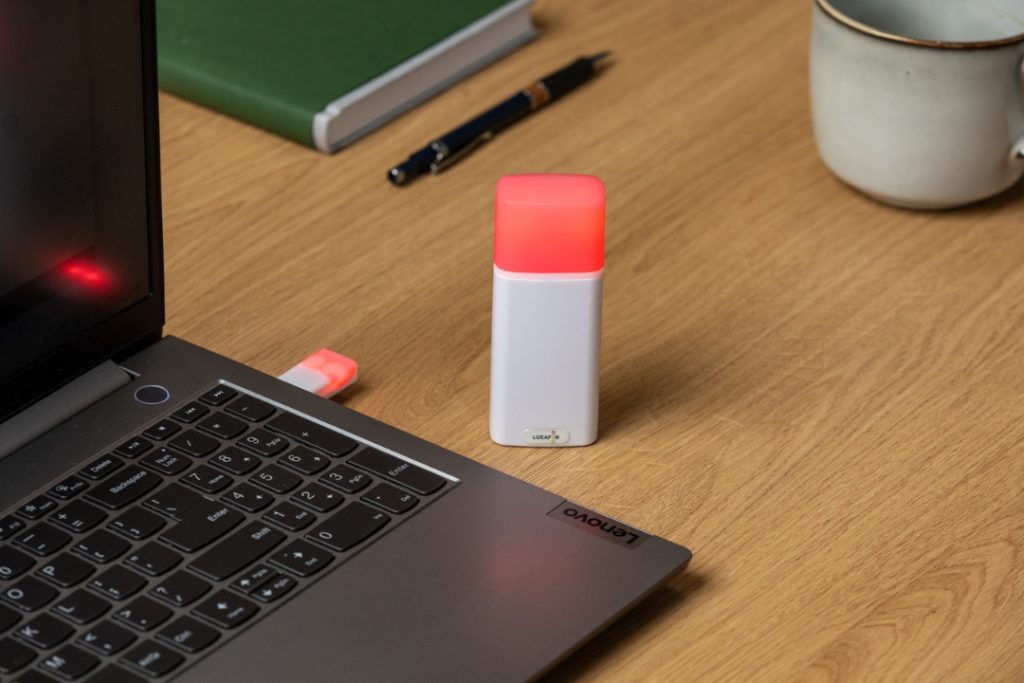
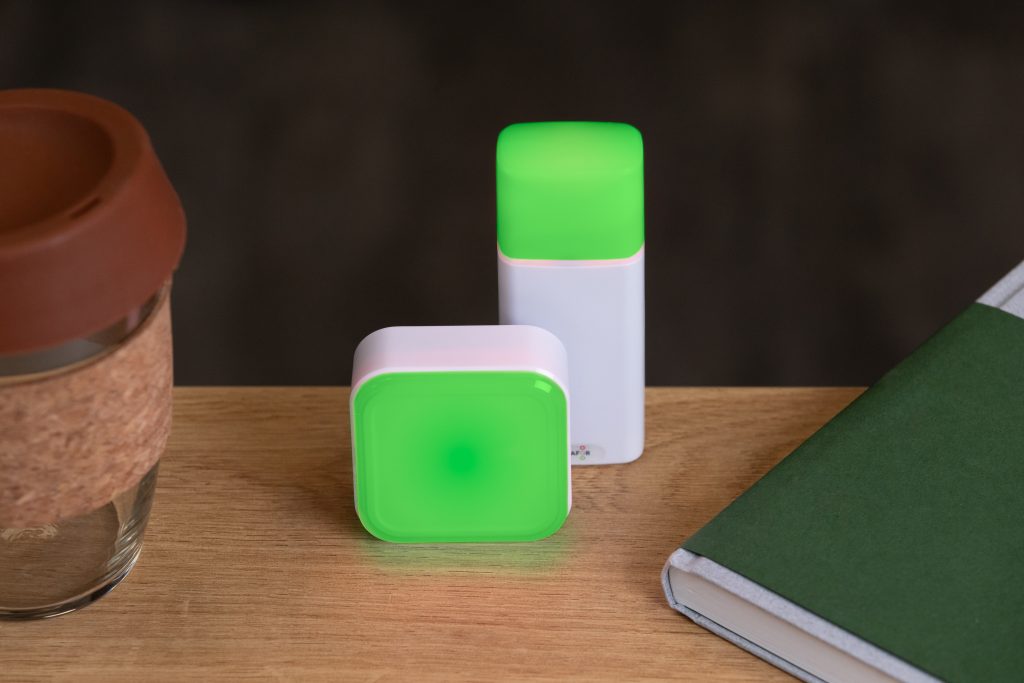
Busy Tag: Stay focused and avoid distractions
Balance Automation with Human Connection
The most effective teams mix both. Use automation for structured updates (project reminders or meeting alerts) and save human channels for things that require nuance, like feedback, brainstorming, or the planning and coordination of future team-building activities.
Many organizations now pair automated alerts with short daily or weekly wrap-ups written by real people. A quick note from a team lead can make all the difference:
“Thanks for jumping on those reports today – it was a lifesaver!”
It’s genuine, short, and personal. And crucially, it takes no longer than what it took you to read that sentence for it to be written and passed on.
Build a Culture That Respects Focus
Clear communication starts with knowing when to speak and when to give space. Teams do their best work when they’re not interrupted every few minutes or buried under endless calendar updates.
A healthy company culture lets people focus on their work without feeling like they’re missing out. Naturally, expectations need to be met, but that is a mutually beneficial relationship. It means trusting your team to stay informed without needing constant reminders. And when you’ve established that kind of balance, everything else falls into place.
Show your colleagues when you're busy!
Cut the Clutter and Boost Team Connection Without Email and Chat Overload






Tags
Archives
- March 2026
- January 2026
- December 2025
- November 2025
- October 2025
- September 2025
- August 2025
- July 2025
- June 2025
- May 2025
- February 2025
- January 2025
- December 2024
- November 2024
- October 2024
- September 2024
- August 2024
- July 2024
- June 2024
- May 2024
- April 2024
- March 2024
- February 2024
- January 2024
- December 2023
- November 2023
- October 2023
- September 2023
- August 2023
- July 2023
- June 2023
- May 2023
- April 2023
- March 2023
- February 2023
- January 2023
- December 2022
- November 2022
- October 2022
- September 2022
- August 2022
- July 2022
- June 2022
- May 2022
- April 2022
- March 2022
- February 2022
- January 2022
- December 2021
- November 2021
- October 2021
- September 2021
- August 2021
- July 2021
- June 2021
- May 2021
- April 2021
- March 2021
- February 2021
- January 2021
- December 2020
- November 2020
- October 2020
- September 2020
- August 2020
- July 2020
- June 2020
- May 2020
- April 2020
- March 2020
- December 2019
- November 2019
- October 2019
- September 2019
- August 2019
- July 2019
- April 2019
- March 2019
- January 2019
- December 2018
- November 2018
- October 2018
- September 2018
- August 2018
- July 2018
- June 2018
- August 2017
- May 2017
- April 2017
- February 2017
- January 2017
- November 2016
- October 2016
- September 2016
- August 2016
- July 2016
- June 2016
- May 2016
- April 2016
- March 2016
- February 2016
- January 2016

