
Why Installing a "Do Not Disturb" Light in Office Cubicles Improves Focus
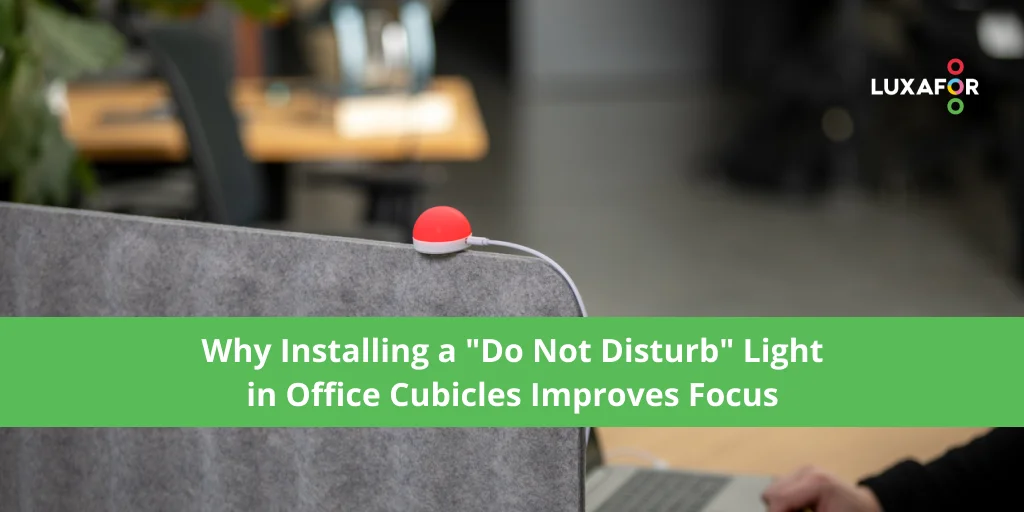
If you finish an office workday feeling like you got nothing done, the math backs you up. Microsoft's 2025 Work Trend Index found employees fielding 153 Teams messages a day on top of meetings, emails, and walk-up questions. Most of those you can manage — messages and emails wait, meetings sit on your calendar. The walk-up is the one that breaks focus: a colleague drops by because they can't see you're mid-thought, asks "quick question," and ten minutes later you're still trying to remember what you were working on. In a cubicle, where the partition hides whether you're heads-down or just answering email, the walk-up is unavoidable by default. A do not disturb light for office cubicles changes that — by making focus visible before anyone leaves their desk.
Why Workplace Distractions Are a Growing Problem in Modern Offices
Cubicles were sold as budget-friendly privacy and productivity without the cost of separate office rooms. In practice, they often fail to deliver both — you get the ambient noise of a shared floor with the illusion that a fabric panel is enough to keep you focused. Yes, there's less in your line of sight, but people still walk up and pull you out of whatever you were doing.
And the data is hard to argue with. A UC Irvine study measured what happens when knowledge workers get pulled off a task — on average, it took 25 minutes and 26 seconds to come back to it. Other UCI research linked frequent interruptions to higher stress and time pressure.
In a cubicle, the real problem isn't noise. It's uncertainty. Nobody knows whether it's okay to walk over and ask a question, so they guess — and often guess wrong. The result: fragmented workdays, fried concentration, and meetings derailed before they start.
What Is a "Do Not Disturb" Light for Office Cubicles?
A do not disturb desk light is a small visual indicator on a cubicle wall or monitor. It uses color to signal whether you’re available, busy, or in deep focus — a do not disturb sign that updates itself. Most modern lights sync automatically with Microsoft Teams, Slack, Google Calendar, or your call status, so the color matches what you’re actually doing — no remembering to flip a switch every time a meeting starts. You can also override it manually with a hotkey when you want to defend a focus block that isn’t on the calendar.
A typical cubicle do not disturb setup uses four states:
| Light status | Meaning |
|---|---|
| Red | Focus time — do not interrupt |
| Yellow | Busy, but interrupt if urgent |
| Green | Available |
| Blue (or custom color) | In a meeting or on a call |
The lighting hardware is the easy part — modern busy lights install with magnets, no drilling or wiring needed. The value comes from the team agreement behind it. Once everyone knows what the colors mean, “I’m busy” stops being a conversation you have to have.
How Office Busy Lights Improve Focus and Deep Work
Reducing Unnecessary Interruptions During Important Tasks
The strongest evidence comes from the FlowLight field trial — 449 knowledge workers across 12 countries using a small desk LED to show interruptibility. Interruptions dropped 46%, with little impact on the urgent ones. Some of that drop is interruptions that never happen at all — a colleague sees red, pauses, and often figures out the answer themselves. A good office do not disturb light doesn’t make you unreachable — it helps colleagues pick a better moment, or solve it themselves and check back later if they still need you.
Helping Employees Maintain Workflow and Concentration
Coding, writing, financial modeling, campaign planning — all depend on mental continuity. When that breaks, the cost isn’t the 30 seconds spent answering. It’s the 25 minutes to rebuild context. A red indicator on a cubicle wall is one of the cheapest ways to protect that workflow — it sits in front of someone before they interrupt, not after.
Busy lights show up on most focus-and-concentration lists for cubicle workspaces for that reason — they take the decision away from the interrupter.
Supporting Better Time Management in Shared Workspaces
Status signals only work paired with team norms. The short version:
- Red — do not interrupt; send a message and you’ll hear back when the light flips
- Yellow — only if it’s important
- Green — walk over
- Blue — on a call or in a meeting; catch them after
Whether managers actually use the system matters more than the hardware. If the people with the longest calendars ignore the red light, the signal stops meaning anything.
Switch Pro 2
The Benefits of Installing Busy Lights in Office Cubicles
A do not disturb light won’t improve focus and productivity on its own. What it does do, backed by field research:
- Fewer low-value interruptions. A 2017 University of Zurich and ABB field study of 449 knowledge workers found a 46% drop in interruptions when a desk light signaled focus mode.
- Better deep-work continuity. Less context-switching, less time spent rebuilding focus.
- Lower communication friction. No awkward “please don’t talk to me” moments.
- Clearer team availability. Cuts guesswork in cubicle layouts where partitions hide focus state.
- Reduced interruption stress. UCI links unwanted interruptions to higher stress.
- A nudge toward written channels. A red light prompts colleagues to message instead.
A study of 5,149 occupants across 68 buildings linked crowded shared workspaces to higher interruption sensitivity — exactly where these lights earn their keep.
How Luxafor Busy Lights Help Create Distraction-Free Workspaces
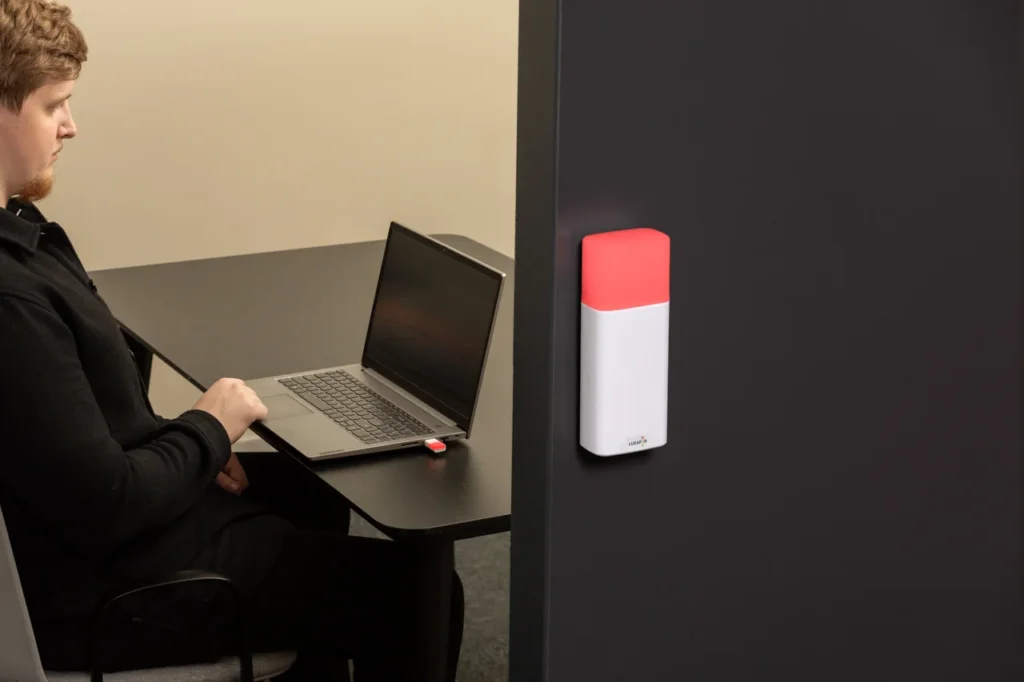
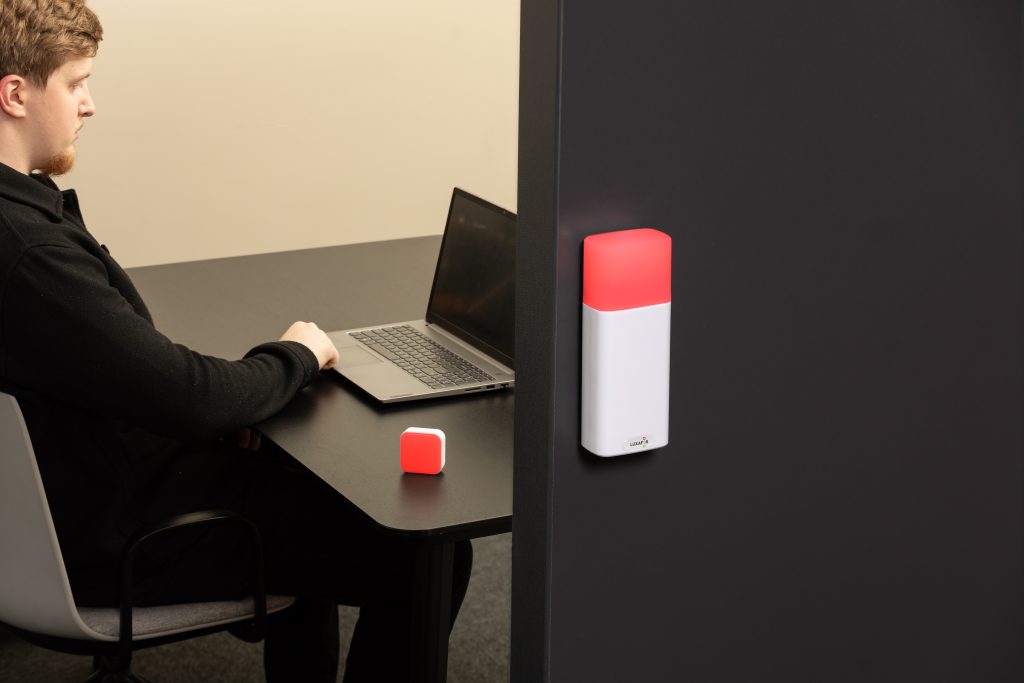
For cubicles, the right light is one your colleagues can see from any angle. The Luxafor Orb is a spherical USB indicator that radiates color in every direction, visible from across the floor — magnetic mount, USB power, and status updates from Microsoft Teams, Zoom, Slack, Calendar, or a hotkey.
If you’re okay with a smaller LED indicator, the Luxafor Flag is the minimalist alternative. Smaller LED, clips to a laptop or monitor edge, same integration suite as the Orb. Less prominent on the desk, friendlier to budgets when you’re equipping hundreds of desks instead of twenty.
For teams where color isn’t enough — say, signaling why someone is busy or how long they’ll be — the Luxafor Busy Tag swaps the LED for a small screen that can show text, an icon, or even a GIF. A cat frantically typing tells a colleague more than a red light ever could.
If the office also needs a meeting-room availability indicator, the Luxafor Switch Pro 2 is the wireless do not disturb light for that job — a tilt-controlled cube inside the room, a wireless indicator outside the door, app-free and no IT approval needed.
Building a More Focused and Efficient Office Environment
A busy light is hardware. The change is cultural — it makes focus time visible, gives colleagues a faster read on availability, and shifts low-priority questions to written channels.
Pair the lights with a short shared rulebook (what each color means, how exceptions work) and the cubicle stops being where deep work goes to die. It’s better workplace communication, and the efficiency follows.
FAQ
By making availability visible before interruptions happen. The FlowLight field study of 449 knowledge workers found a desk busy light cut interruptions by 46% while still letting urgent ones through.
Yes — that's exactly where they earn their keep. Research links unwanted interruptions to lower perceived productivity, with the strongest effect in offices shared by more than eight employees, and cubicle layouts hide focus state by design.
Yes. A visual status indicator gives the team a shared signal for availability, so colleagues can decide quickly whether to speak now, wait, or send a message — removing a constant friction from cubicle communication.
Indirectly, yes. UCI research connects unwanted interruptions to higher stress and time pressure. A do not disturb desk light cuts those interruptions, which lowers the mental load that comes with them.
Most modern ones can. Luxafor products connect to Microsoft Teams, Zoom, Slack, Google Calendar, and Zapier, so the color updates automatically when you join a call or change your Teams status.
Digital status catches the digital interruption — the chat ping, the meeting invite, the email. A physical light catches the walk-up — the one that actually breaks focus because you can't defer it. They're complementary, not competing. The light handles what your screen can't.
Quick math: research shows desk indicator lights reduce interruptions by around 46%. For a worker getting, say, 4 walk-up interruptions per day, that's roughly 2 fewer. At UCI's measured ~25 minutes to fully return to a task, that's about 50 minutes of preserved focus per person per day. Across an 8–12 person team, that compounds to 7–10 hours of reclaimed focus every day — and that's before counting the quality lift from less attention residue (the part of your brain that stays stuck on the last task even after you've moved on).
Article author

Kaspars S.
Productivity tool developer, corporate leader, and technical director at Luxafor
Why Installing a “Do Not Disturb” Light in Office Cubicles Improves Focus




Busy Tag – Your Digital Canvas


Tags
Archives
- June 2026
- May 2026
- March 2026
- January 2026
- December 2025
- November 2025
- October 2025
- September 2025
- August 2025
- July 2025
- June 2025
- May 2025
- February 2025
- January 2025
- December 2024
- November 2024
- October 2024
- September 2024
- August 2024
- July 2024
- June 2024
- May 2024
- April 2024
- March 2024
- February 2024
- January 2024
- December 2023
- November 2023
- October 2023
- September 2023
- August 2023
- July 2023
- June 2023
- May 2023
- April 2023
- March 2023
- February 2023
- January 2023
- December 2022
- November 2022
- October 2022
- September 2022
- August 2022
- July 2022
- June 2022
- May 2022
- April 2022
- March 2022
- February 2022
- January 2022
- December 2021
- November 2021
- October 2021
- September 2021
- August 2021
- July 2021
- June 2021
- May 2021
- April 2021
- March 2021
- February 2021
- January 2021
- December 2020
- November 2020
- October 2020
- September 2020
- August 2020
- July 2020
- June 2020
- May 2020
- April 2020
- March 2020
- December 2019
- November 2019
- October 2019
- September 2019
- August 2019
- July 2019
- April 2019
- March 2019
- January 2019
- December 2018
- November 2018
- October 2018
- September 2018
- August 2018
- July 2018
- June 2018
- August 2017
- May 2017
- April 2017
- February 2017
- January 2017
- November 2016
- October 2016
- September 2016
- August 2016
- July 2016
- June 2016
- May 2016
- April 2016
- March 2016
- February 2016
- January 2016

