
Why Every Hybrid Team Needs Luxafor Devices in 2025

Image from Pexels
By 2025, working in a hybrid environment is more of a need than an option. Many businesses have made the decision to return to offices, at least partially, after operating remotely for a number of years. However, not everyone is coming back with joy. Reversing remote work tools 2025, solitary work patterns, reestablishing daily routines, and changing habits all require time, support, and a solid plan.
The manual includes useful tips and techniques for improving team performance, putting Luxafor for hybrid teams and improvement plans into action, and maximizing team output through focused effort. These strategies, which range from setting clear goals to utilizing cutting-edge technology, will help you develop an engaged and driven workforce and boost team productivity.
Common Hybrid Work Challenges
Without a doubt, hybrid work is the best option if you want your company to prosper in 2025 and beyond. This rapidly expanding office model helps you save money on real estate, expands your talent pool, and promotes greater work-life balance for employees. All by giving workers the option of working from home or spending a few days a week in the office.
Sadly, though, things aren’t always easy. Although there are many advantages to working in a hybrid environment, there are also many difficulties. Additionally, leaders cannot afford to wing it. Creating the ideal hybrid work arrangement for your particular workforce is critical to remote team productivity, engagement, and retention.
Managing office space
Determining how much office space you truly need and how to use it is one of the more difficult aspects of working in a mixed environment. Conventional arrangements frequently result in wasted space or packed conference rooms because employees come and leave on different days. It is difficult to determine what is and is not working without actual data.
Monitor workplace space consumption over time to optimize your setting. To determine which spaces are occupied and which are vacant, look at trends in occupancy, meeting room utilization, and team schedules. You can swiftly and precisely determine the appropriate size for your real estate footprint thanks to these insights. The objective is to establish a workplace that genuinely supports your teams’ ability to complete tasks, not only to cut expenses.
Communication gaps
Miscommunication is another frequent hazard in mixed work. It’s simple for communications to be misinterpreted, context to be misunderstood, or team members to feel excluded in the absence of regular face time. When time zones and work schedules are taken into account, maintaining alignment becomes considerably more difficult, particularly for individuals who prioritize working remotely.
Establish distinct areas for various forms of communication to increase team engagement. For instance, employ private meeting rooms for one-on-one check-ins, a casual messaging app for fostering culture, and project-based tools for teamwork. Regardless of where they work, regular, intentional communication keeps everyone informed and involved.
Collaboration barriers
Communication breakdowns are not the only consequence of hybrid work. It also causes conflict when it comes to teamwork. After all, when people are dispersed and time zones affect scheduling, it is more difficult to facilitate brainstorming. Cross-departmental cooperation stalls without the proper framework, which slows progress and affects results.
Establish clear expectations to maintain hybrid team collaboration. Instruct participants on how to record decisions, when to meet, and what tools to use. To prevent work from coming to a standstill when schedules don’t coincide, combine real-time collaboration (such as weekly team meetings) with asynchronous solutions (such as shared documents or recorded updates). Additionally, allow room for experimentation. The most successful hybrid teams continuously improve their methods of cooperation based on what really advances their job.
Supporting work-life balance and mental health
It’s no secret that hybrid work makes it difficult to distinguish between personal and professional life. It’s simple for work hours to extend into the nights, weekends, and all points in between when one’s house serves as an office. Boundaries are gradually eroded by this constant state of mind, which raises stress levels and eventually results in burnout, particularly if managers are unable to see trends in workload.
In order to effectively promote employee well-being in the hybrid workplace, you must keep an eye out for burnout symptoms and act quickly. Promote regular breaks, discourage working beyond hours, and normalize discussions about mental health. To ensure that everyone is doing their fair share of the job, pay particular attention to the workload balance. Additionally, keep an eye out for persistent long hours or other indicators of overwork.
Visibility and Availability in Distributed Teams
Everyone is upset, there is confusion, and remote team productivity is low. Unrest arises when we are unable to respond to the inquiry, “Have we got everyone?” If people believe the team is unprepared or incomplete, they are reluctant to commit to the group. Without knowing the team’s future structure, they can be trapped in a never-ending “Forming” stage and unable or unable to take on the conflict necessary to move on to “Storming.” There is a delay in trust. This leads to:
- Individuals working toward disparate agendas and goals are not aligned, which results in fragmented output.
- There is no innovation through cross-skilling; instead, solutions and output are supplied with an emphasis on individual talent and knowledge.
- People’s morale is low because they do not perceive how their job integrates throughout the company to give value to customers.
It’s difficult to communicate. If people don’t think their contact will be accepted, they delay, put things off, or perhaps don’t reach out. One of the obstacles is eliminated by using efficient techniques to create a common understanding among team members regarding when each member is likely to be accessible.
How Luxafor Lights Solve Silent Communication
To address this issue, Luxafor Flag, Cube, and Orb came up with a bi-directional signaling interface that transforms digital presence information into visual feedback instantly.
Every productivity indicator light acts as a hardware-based endpoint for behavioral telemetry by using APIs from Zoom, Slack, Microsoft Teams, and Zapier. In the end, a distributed visual protocol for availability and focus states is created, which reduces the number of interruptions, increases job predictability, and improves synchronization efficiency in asynchronous workflows.
Common scenarios are:
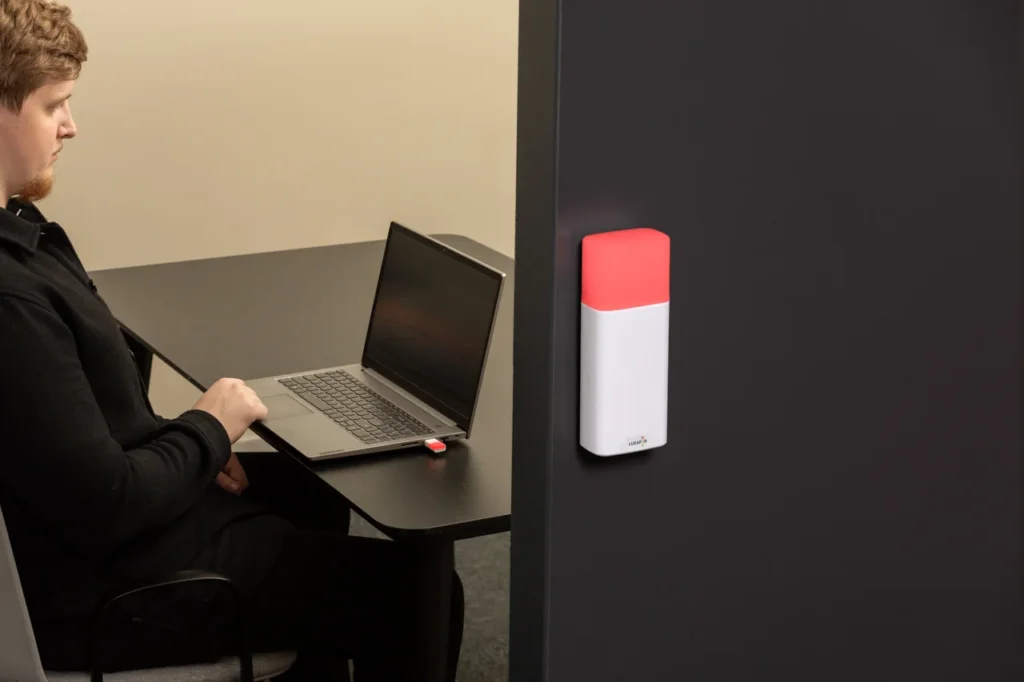
- Luxafor Flag: A USB-connected and software-controlled device for individual usage. It indicates the user’s attention or meeting status directly on the desk via Teams or custom APIs.
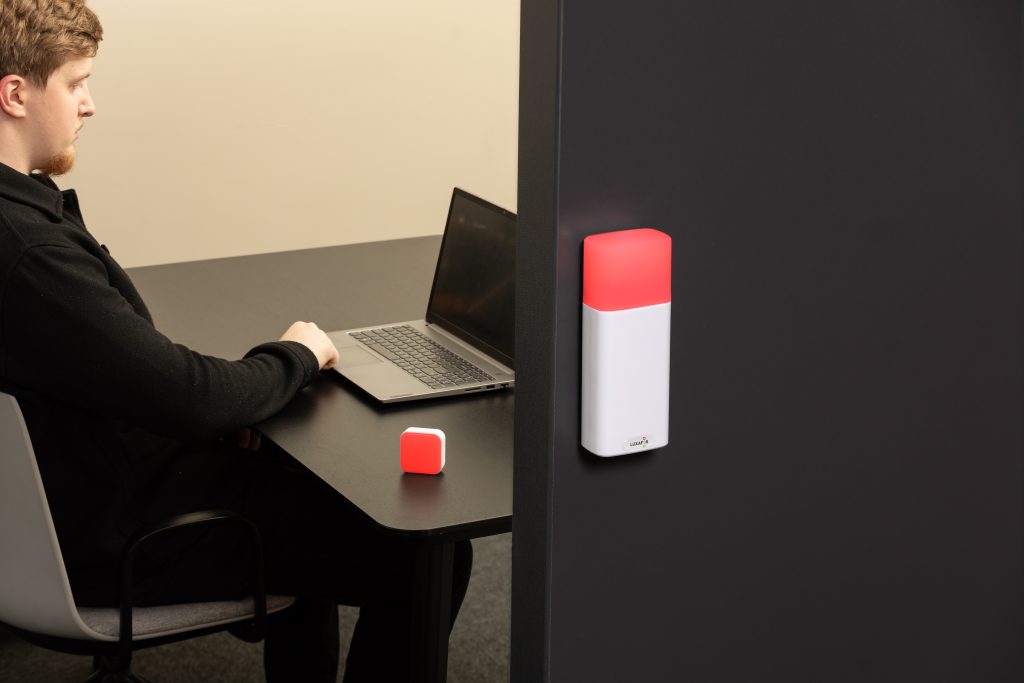
- Luxafor Cube: Designed for usage in shared or hybrid workstations. Luxafor Cube hybrid work is operated by a battery and features manual color switching for quick visual occupancy indicators that do not need software configuration.
- Luxafor Orb: The best choice for teams and meeting areas. It offers 360° visibility over the availability or build/deployment status in open offices or engineering hubs.
These devices, when combined, form a visual signaling system that turns digital presence into a physical one, hence enabling the teams to interact more quickly and intuitively.
Final Thoughts
Hybrid teams are composed of clarity, synchronization, and uninterrupted flow, which are their most vulnerable factors in a distributed environment. Luxafor Flag, Orb, and Cube open communication between digital presence and real-world awareness, so teams can signal, sync, and succeed without any hitches. They do this by providing direct integration into communication platforms and daily activities, thus cutting interaction latency, minimizing context switching, and setting a common tempo for hybrid collaboration.
Being able to see, in 2025, is more than just a convenience; it is a competitive advantage. Get Luxafor for hybrid teams in bulk or check out B2B options to give everyone on your team.
Request a quotation.
Show your colleagues when you're busy!
Article author

Kaspars S.
Productivity tool developer, corporate leader, and technical director at Luxafor
Why Every Hybrid Team Needs Luxafor Devices in 2025




Busy Tag – Your Digital Canvas


Tags
Archives
- June 2026
- May 2026
- March 2026
- January 2026
- December 2025
- November 2025
- October 2025
- September 2025
- August 2025
- July 2025
- June 2025
- May 2025
- February 2025
- January 2025
- December 2024
- November 2024
- October 2024
- September 2024
- August 2024
- July 2024
- June 2024
- May 2024
- April 2024
- March 2024
- February 2024
- January 2024
- December 2023
- November 2023
- October 2023
- September 2023
- August 2023
- July 2023
- June 2023
- May 2023
- April 2023
- March 2023
- February 2023
- January 2023
- December 2022
- November 2022
- October 2022
- September 2022
- August 2022
- July 2022
- June 2022
- May 2022
- April 2022
- March 2022
- February 2022
- January 2022
- December 2021
- November 2021
- October 2021
- September 2021
- August 2021
- July 2021
- June 2021
- May 2021
- April 2021
- March 2021
- February 2021
- January 2021
- December 2020
- November 2020
- October 2020
- September 2020
- August 2020
- July 2020
- June 2020
- May 2020
- April 2020
- March 2020
- December 2019
- November 2019
- October 2019
- September 2019
- August 2019
- July 2019
- April 2019
- March 2019
- January 2019
- December 2018
- November 2018
- October 2018
- September 2018
- August 2018
- July 2018
- June 2018
- August 2017
- May 2017
- April 2017
- February 2017
- January 2017
- November 2016
- October 2016
- September 2016
- August 2016
- July 2016
- June 2016
- May 2016
- April 2016
- March 2016
- February 2016
- January 2016

