
Busy Light vs Closed Door: Why Open Offices Need Both
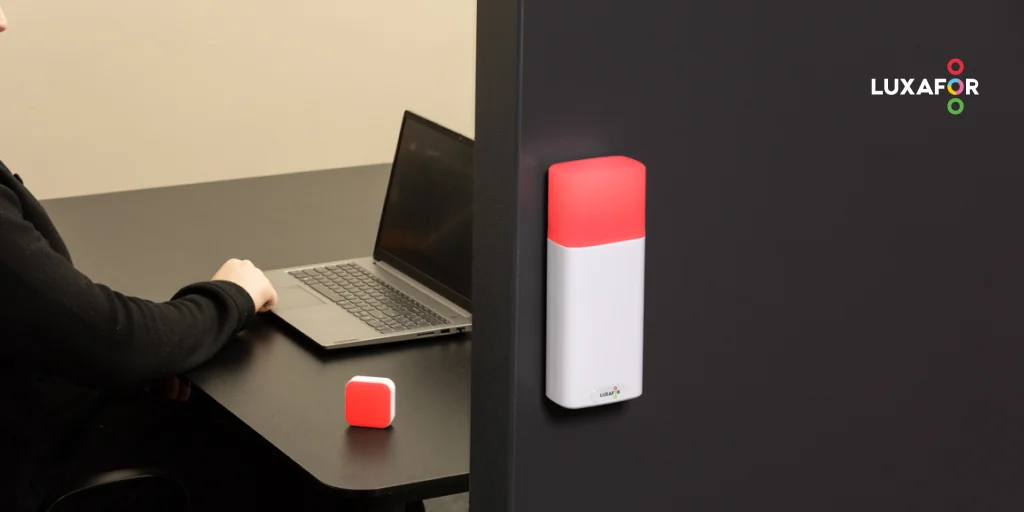
Open-plan offices made collaboration easier and focus harder. The same proximity that helps spontaneous teamwork also leads to more interruptions. Interruptions that can turn into unexpectedly long discussions when what you were working on was much more important.
We've all been there. You know it's hard to catch yourself in those moments and bring yourself back. So what people do is they occupy meeting rooms not to meet, but to escape the interruptions.
The real question isn't whether to use a busy light or move to a meeting room or focus pod. It's whether you need a separate quiet room, or a clear way to tell coworkers "I'm focused on something, don't interrupt me right now." This piece walks through why open offices need busy lights, and which kind of light fits which spot.
Common Features of Modern Busy Light Systems
A busy light uses simple LED lighting to show a person’s or a room’s availability: green for available, red for busy, plus states for meetings, focus time, and away. The category breaks down along three axes:
- Workstation, room, or both. Some lights live on a desk or cubicle wall. Others mount outside a meeting room or focus pod. A handful travel between the two with the person.
- Wired or wireless. A wireless busy light for office use sits on a desk without a port nearby, mounts beside a meeting-room door, or travels with someone who has no fixed desk. Wired versions stay tethered and never need charging.
- App-free or integrated. Tilting a cube to change color needs no software install, useful in IT-locked environments. An integrated busy light indicator for office use updates the moment Microsoft Teams, Zoom, Slack, or your calendar shifts state.
In-person interrupters act on what they see, not what is buried in a chat app. A field study of FlowLight, a physical automatic status light, found a 46% reduction in interruptions for participants who used it.
Busy Light vs Closed Door: Key Differences in Communication
Clarity of Availability Signals
A door is binary. It does not say whether the call is wrapping up, whether a quick interruption is welcome, or whether the next hour is reserved. A busy light carries more detail. Microsoft Teams alone exposes eight presence states: Available, Busy, In a Meeting, In a Call, Do Not Disturb, Focusing, Away, and Out of Office. Zoom and Slack cover similar ground.
“On a client call” and “deep in spreadsheet work” look the same from outside but invite different interruption norms. An explicit color tells coworkers whether to message, wait, or come back. A closed door makes them guess.
Visibility Across Open Office Environments
A closed office door could mean the room is in use, or that someone closed it on the way out. An empty desk doesn’t mean the person is free. Someone at a desk isn’t always interruptible; someone behind a closed door isn’t always off-limits.
A busy light removes the guesswork. The LED reads at a glance: bright, color-coded, multi-state. Red says “do not disturb,” blue says “in a call,” green says “available.” The color carries useful information at the distance you see it from.
Ethan Bernstein and Stephen Turban found that organizations moving to more open offices saw face-to-face interaction drop by about 70%, with email and chat picking up the slack. Without a clear in-person signal, coworkers route everything through the inbox.
Switch Pro 2
Scalability in Large Teams and Hybrid Offices
Hybrid work makes availability a coordination problem. When whole companies went remote, Microsoft researchers found that people stopped reaching across teams and shifted from live conversations to messages others read later. A remote teammate cannot see your desk; they can see your Teams status. A coworker walking past cannot see your Teams status; they can see a light. Modern systems link the two so one status drives both.
Shared desks break the door model entirely. A portable busy light for desk use travels with the person; a room indicator handles shared booths and meeting rooms.
When Closed Doors Are Still Useful in the Workplace
A door does work no light can. It stops sound and gives privacy. Research from Valtteri Hongisto and colleagues found that private offices give measurably better acoustic privacy than open or shared layouts.
Meeting rooms and focus pods earn their keep when the conversation is confidential, the task needs full acoustic isolation, or two coworkers are working through something that would distract the wider floor.
A busy light for office door fills in what the door cannot say: whether the room is bookable now, when the current meeting ends, and whether a knock is welcome. A wireless busy light indicator for door use outside a focus pod turns “the door is closed” into a usable signal, improving meeting-room efficiency.
The Role of Technology in Modern Workplace Communication
Workplace availability is now a blend of digital presence, calendar logic, and physical signaling. Digital presence inside Teams, Zoom, or Slack is the strongest signal for remote coworkers. A physical signal on a desk, door, or meeting room is the strongest for anyone walking by.
Automation closes the gap. Manual indicators drift; people forget to update them. Calendar-driven auto-status keeps the light in sync with the workflow. Teams updates from calls and meetings, Slack syncs from Outlook and Google Calendar, Zoom supports two-way sync with Microsoft 365. Meeting-room panels show occupied or reserved states outside the door.
How Luxafor Busy Lights Improve Workplace Communication
Luxafor covers the placements that matter on a modern open floor:
| Best for | Featured product | When something else fits better |
|---|---|---|
| Personal desk on the open floor | Flag 2: compact, full integrations with Teams, Zoom, Slack, and calendars; magnet-mounts to a laptop, monitor, or cubicle wall | Orb for cubicles where coworkers approach from multiple angles. Cube 2 for IT-locked desks. Busy Tag when red and green isn’t enough context. |
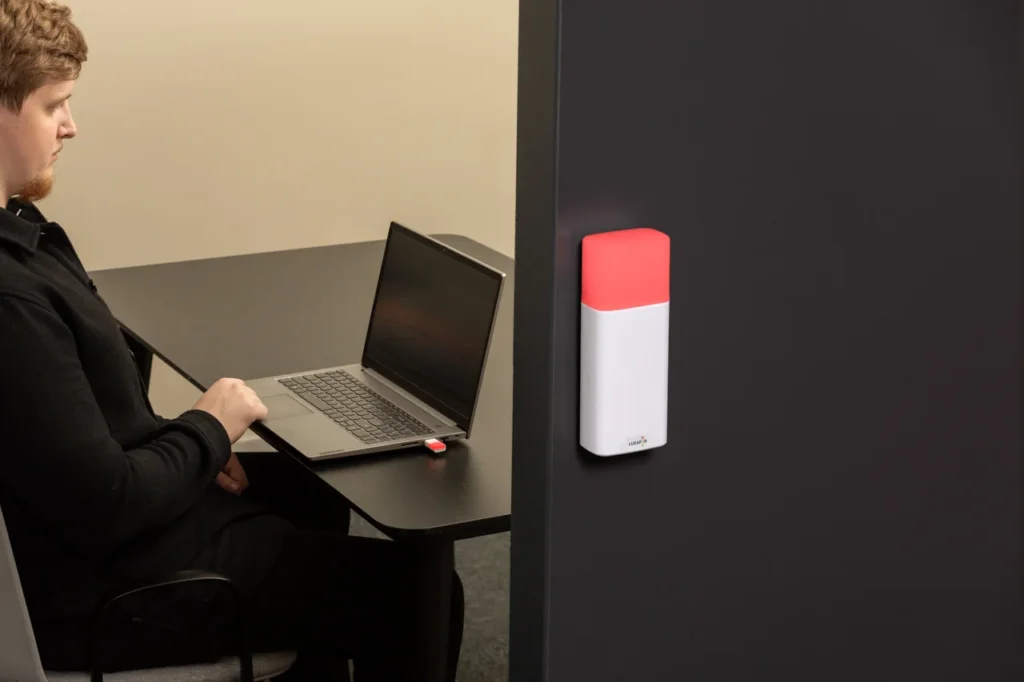
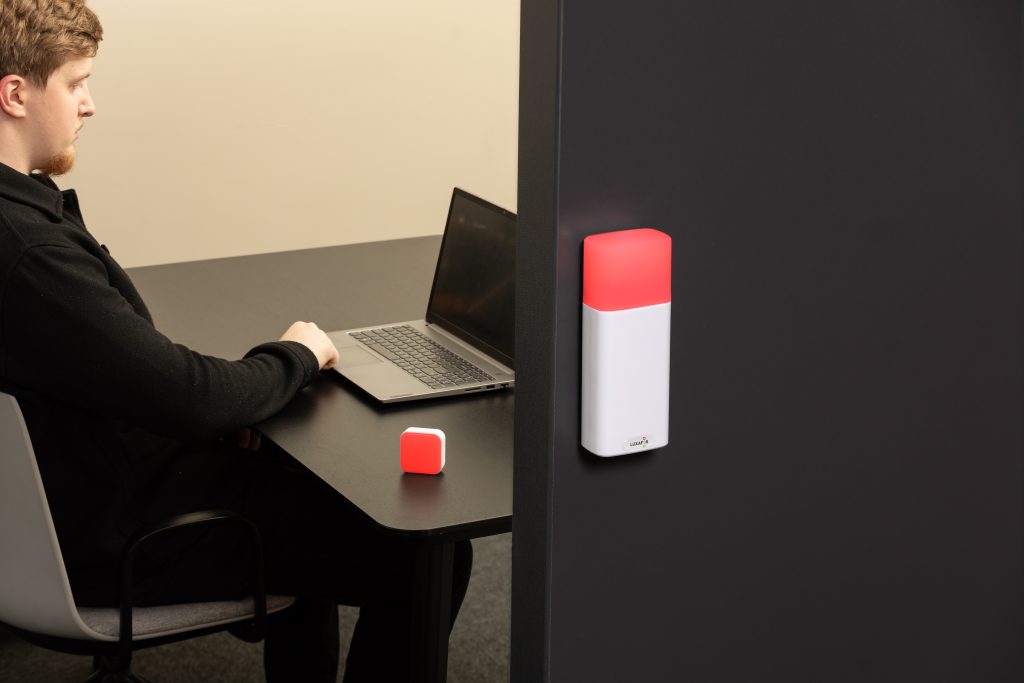
| Meeting rooms and focus pods | Switch Pro 2: wireless two-piece system, indicator outside the room, tilt-remote inside, no software anywhere | Cube 2 as a cheaper, single-piece alternative if the cube on the table is enough. |
| One device for desk and meeting room | Bluetooth Pro: wireless, full integrations, mounts on a desk or beside a meeting-room door, handles phone calls from the mobile app | Flag (USB) as a wired-only alternative if you don’t need to move the light around the office. |
A do-not-disturb light will not fix a workplace alone. Hardware sets the conditions; the team has to agree on what the colors mean. The light makes that agreement enforceable at a glance, instead of leaving it as folklore.
Say you're busy without saying it
Best Practices for Using Availability Signals in Offices
A few rules from the research, and from teams that have made this work for everyday productivity:
- Agree on shared meanings up front. Red means do not walk up. Yellow means busy but you can message. Green means quick questions welcome. Write it down, share it in onboarding. Once the team knows the code, a permanent red is still a useful signal.
- Let automation do the work. Manual signals drift. Calendar- and call-driven status stays accurate without anyone remembering to flip it.
- Default to your desk for most focus work. A busy light at your desk keeps coworkers from walking up and leaves the focus pods and meeting rooms free for calls and deep-work sessions that need silence.
- Allow important interruptions. Gloria Mark's research on fragmented work found that interruptions on the current task can be helpful; the disruptive ones pull you onto a different topic.
- Use both layers when both exist. The meeting-room door handles privacy and sound. The light beside it handles specificity: when the room frees up, whether the next slot is booked, and whether a knock is welcome.
Building a More Focused Office
A closed door is a strong boundary; a busy light is a clear message. The bigger the team, the more you need both. The door gives you a place to hide when the work demands silence. The light tells the floor what you need when you can't or shouldn't hide. A busy light alone won't fix interruption culture; the team still has to agree on what the colors mean. The light makes that agreement visible and consistent across desks, meeting rooms, and remote coworkers, protecting productivity day to day.
Frequently Asked Questions
Open offices expose people to more visual and social interruption while giving them fewer boundary tools than private offices. A physical, visible signal cuts through that, with research showing automatic status lights can reduce interruptions by 46%.
Yes. Meeting-room doors, focus-pod doors, and the few remaining private-office doors still provide acoustic privacy and confidentiality. Their limit is signaling detail: the door says "closed," not "for how long" or "knock welcome?"
They can reduce unnecessary or poorly timed ones. In a large field study, a physical and automatic status light reduced interruptions by 46% and made people more aware of the cost of interrupting at the wrong moment.
Yes, especially when paired with digital presence. App status helps remote coworkers see availability across distance, while a physical light helps anyone walking past a desk or meeting room.
Yes. Current products sync or integrate with Microsoft Teams, Zoom, Slack, Outlook, Google Calendar, and meeting-room booking systems, so the same status shows on the laptop and on the light.
Article author

Kaspars S.
Productivity tool developer, corporate leader, and technical director at Luxafor
Busy Light vs Closed Door: Why Open Offices Need Both






Tags
Archives
- June 2026
- May 2026
- March 2026
- January 2026
- December 2025
- November 2025
- October 2025
- September 2025
- August 2025
- July 2025
- June 2025
- May 2025
- February 2025
- January 2025
- December 2024
- November 2024
- October 2024
- September 2024
- August 2024
- July 2024
- June 2024
- May 2024
- April 2024
- March 2024
- February 2024
- January 2024
- December 2023
- November 2023
- October 2023
- September 2023
- August 2023
- July 2023
- June 2023
- May 2023
- April 2023
- March 2023
- February 2023
- January 2023
- December 2022
- November 2022
- October 2022
- September 2022
- August 2022
- July 2022
- June 2022
- May 2022
- April 2022
- March 2022
- February 2022
- January 2022
- December 2021
- November 2021
- October 2021
- September 2021
- August 2021
- July 2021
- June 2021
- May 2021
- April 2021
- March 2021
- February 2021
- January 2021
- December 2020
- November 2020
- October 2020
- September 2020
- August 2020
- July 2020
- June 2020
- May 2020
- April 2020
- March 2020
- December 2019
- November 2019
- October 2019
- September 2019
- August 2019
- July 2019
- April 2019
- March 2019
- January 2019
- December 2018
- November 2018
- October 2018
- September 2018
- August 2018
- July 2018
- June 2018
- August 2017
- May 2017
- April 2017
- February 2017
- January 2017
- November 2016
- October 2016
- September 2016
- August 2016
- July 2016
- June 2016
- May 2016
- April 2016
- March 2016
- February 2016
- January 2016

